Enterprise User Security Configuration and Management Tools
Configuration and Administration Tools Overview 2-25
a. Select krbPrincipalName in the left category list.
b. Click Move > to move krbPrincipalName to the right-hand list.
c. Click Done.
6. Click Next until you reach the last page, and then click Finish to save your
work.
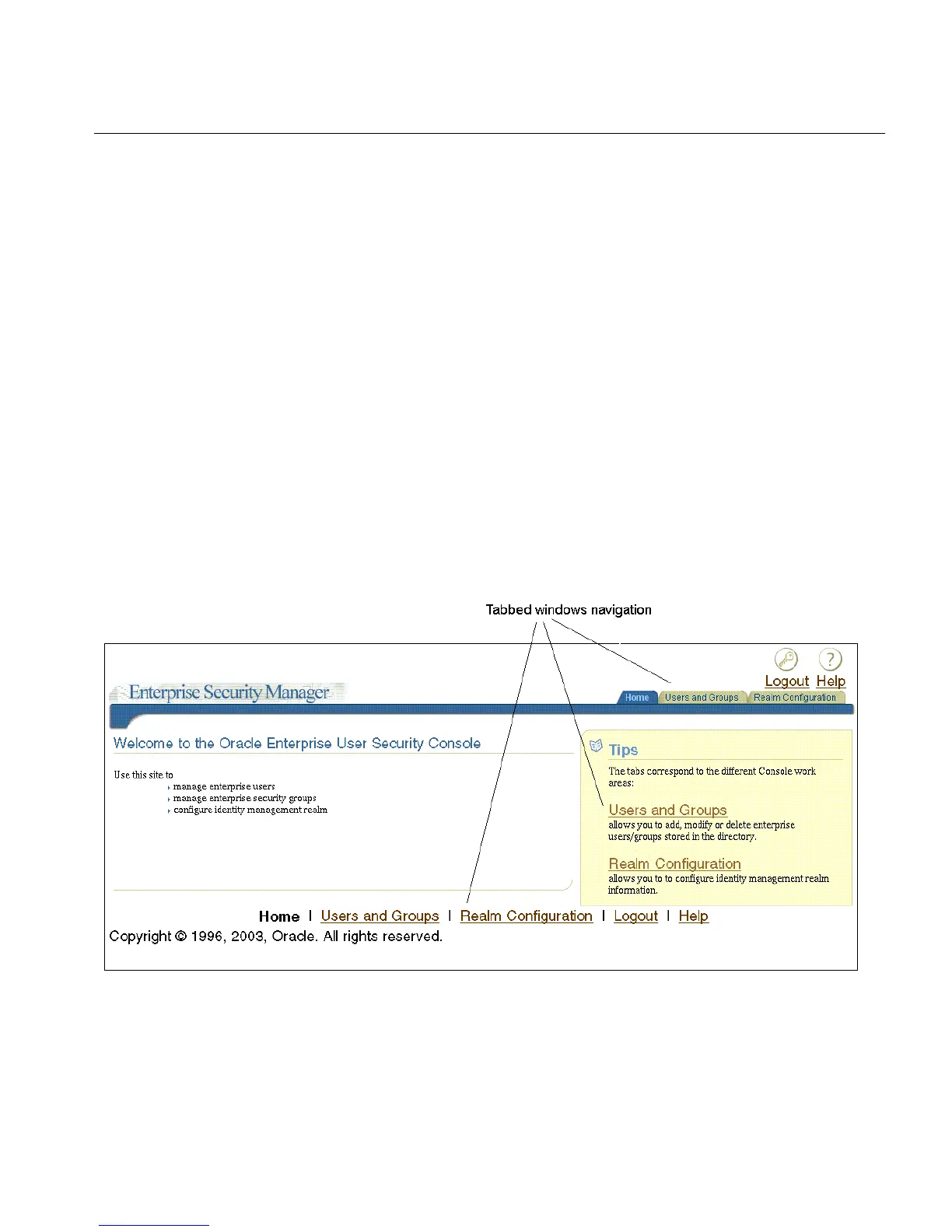
Navigating Enterprise Security Manager Console User Interface
The Enterprise Security Manager Console user interface is browser-based and uses
tabbed windows instead of a navigator pane. Figure 2–9 shows the layout of the
console user interface. The tabbed windows can be accessed by selecting one of the
tabs at the top of the application or by selecting one of the links in the Tips box on
the right. You can also access the tabbed windows by selecting one of the
corresponding links at the bottom of the page.
Figure 2–9 Enterprise Security Manager Console User Interface
The tabbed windows are explained in the following sections:



 To Next Page