Chapter 2
Accessing and Using Remote Support at Startup
2-2
2
Accessing and Using Remote Support at
Startup
1. Turn on an Oracle MICROS Linux workstation or express station. When the Login
screen appears, use any one of the following three methods to access Remote
Support:
a. Touchscreen: Press and hold the center of the screen until you hear a beep
or the remote support screen appears.
b. Keyboard: Press the Home key repeatedly until you hear a beep or the
remote support screen appears.
c. Bump bar: Press the top left key repeatedly until you hear a beep or the
remote support screen appears. (Note: Bump bar positioned with wire
coming out of right side.)
The screen shows a '1' with every button press when using the correct bump
bar key. This is true for both the 2x5 and 2x10 bump bars, even though the
top left buttons may be labeled differently.
The Remote Support capability is compatible with wired bump
bars only.
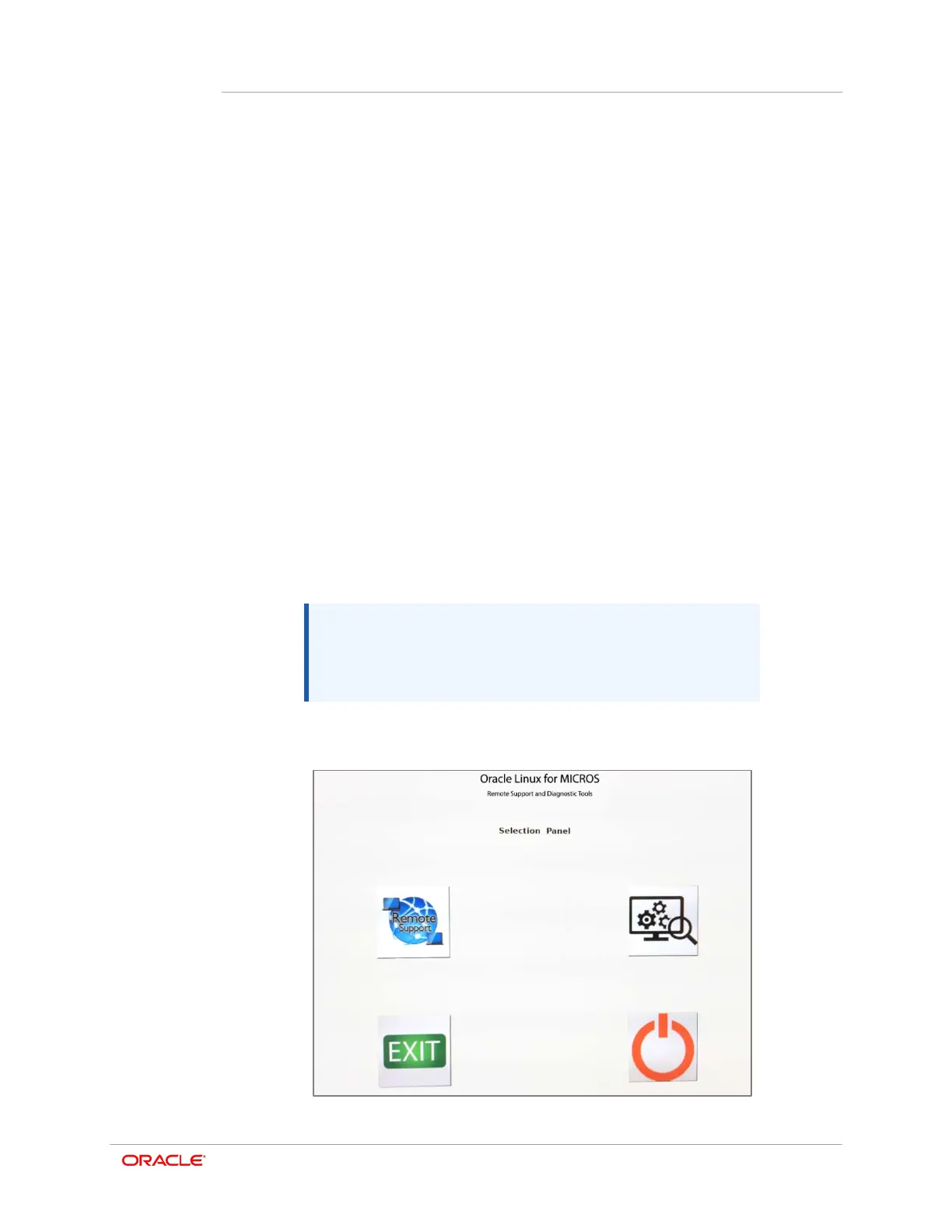
The Selection Panel appears.




 To Next Page