To clear a schedule, press the NEXT button to move the cursor to the sched-
ule and then press CLEAR. To enter a new schedule, press the NEXT button to
move to the desired schedule and then press ENTER.
Note: If an interval of “3” is entered today, the controller will water for the first
time today and then again every third day.
Note: The controller will NOT water on the first day the program is entered or
modified if the start time(s) have already passed.
Program B Interval Countdown
If the interval watering selection is used for Program B, the controller displays
the number of days until the next interval watering day. The controller will
display a number in the lower right corner labeled NEXT B DAY. For example, if
the display shows “1” as the next B day, the interval watering program will
water tomorrow [See Figure 8]. A “0” indicates that the B program will
water today.
FIGURE 8: Program B Interval Countdown
Set Watering Durations and
Program Assignments for A or B
The way you set the watering duration is the same for all programs. To set
the duration for each program you will be using, do the following—
Select the watering duration for the stations by sliding each switch to its
desired time from 2 to 120 minutes.
To skip a station, move the station’s slide switch to the MANUAL OFF position
at the bottom of the slide.
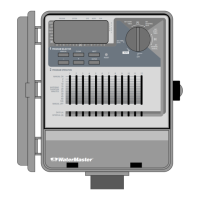
Set the program slide switch for each station that you want to assign to
Program A or B or A and B [See Figure 9].
FIGURE 9: Slide Switches
Reviewing and Changing Your Program
The Orbit
®
controller lets you easily review a complete watering plan.
For example, to review Program A watering cycle start times, simply turn
the rotary selector to the CYCLE START TIMES position in Program A and check
the times that have been entered. Using the NEXT button, you can advance
through the schedule without fear of disturbing any programming.
If you want to change the cycle start times, watering days, or watering inter-
vals, simply follow the directions for that program modification.
After reviewing or changing a watering schedule, remember to turn the rotary
selector back to AUTO if you want the controller to automatically follow your plan.
Ready for Automatic Operation
After programming is complete, turn the rotary selector to AUTO [See Figure
10]. The controller is now fully programmed and ready to use in the auto-
matic mode. In automatic mode, each station will operate sequentially, start-
ing with Program A.
FIGURE 10: Ready for Automatic Operation


 To Next Page