18
Programming the Timer–DATE/TIME Programming the Timer–START TIME
This is the time that the first zone will
begin watering. Only one start time is
needed to run each station in the program.
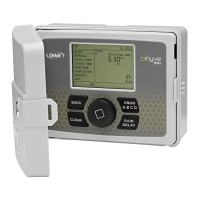
Turn the dial until the selection box is on
START TIME and press the dial.
Turn the dial to the desired start hour and
press the dial to confirm the selection.
Turn the dial to the desired start minute
and press the dial to confirm the selection.
Note: only one start time is needed to run
all of your zones and that start time will
show up as 1st. If additional start times are
needed, repeat this process. Additional
start times are helpful to avoid run off and
allow time for the soil to absorb the water.
Press PROG ABC to set up start times for
additional programs.
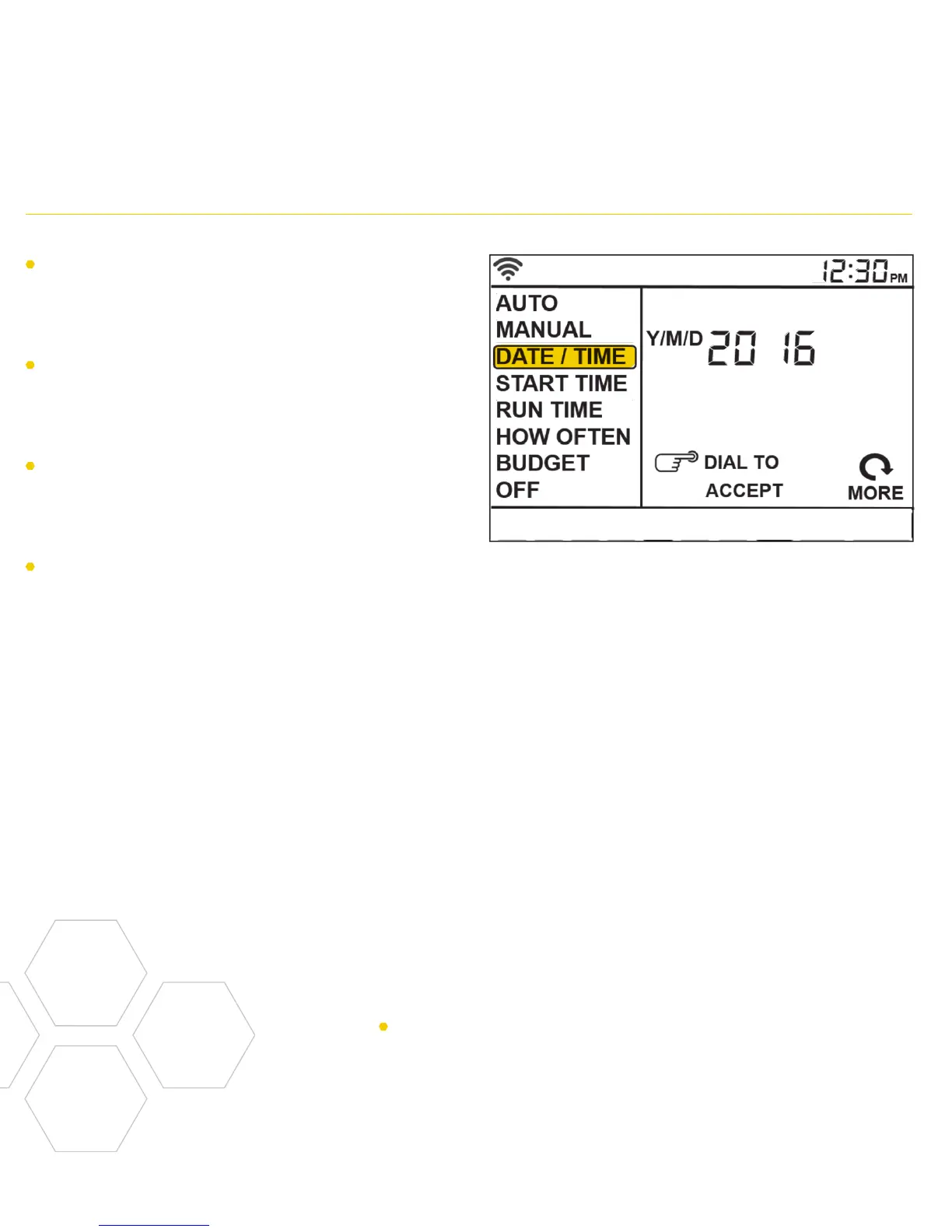
If you are connected to wifi, the time
and date will automatically be sent to the
sprinkler timer.
To set the date and time manually, turn the
dial until the selection box is on DATE/
TIME and press the dial.
Set the date by turning the dial until the
correct year, month and day are shown and
press the dial to confirm each selection.
When setting the time, press the dial when
the right time is set. Be careful to make
sure that the am/pm selection is correct.
Note: Programming for each of the features covered
here can be accomplished at the timer or with the app.
Note: Programming for each of the features covered
here can be accomplished at the timer or with the app.


 To Next Page