23
Programming the Timer–BUDGET Manual Operation
Manual is used to test zones or run an
extra cycle for a zone, a program or for all
zones.
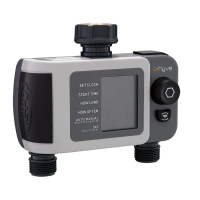
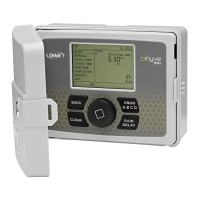
Turn the dial until the selection box is on
MANUAL and press the dial.
ALL will be displayed in the LCD.
To water all zones–
• Press the dial while ALL is displayed
and it will ask for a duration.
• Rotate the dial to the desired duration.
• Press the dial to begin watering.
To water a specific program-A, B or C–
• When ALL is displayed, rotate the dial
until the program you wish to water is
showing.
• Press the dial to begin watering the
specified program.
To water a specific zone–
• When ALL is displayed, rotate the dial
past the A, B, C programs until STATION
and a number appear and press the dial.
• Rotate the dial to the desired zone and
press the dial to enter a duration.
• Rotate the dial to the desired duration
and press the dial to begin watering.
Note: Programming for each of the features covered
here can be accomplished at the timer or with the app.
Note: you can program more than one
specific zone using this process. Repeat
the steps for zone selection and duration
to water additional zones.


 To Next Page