7
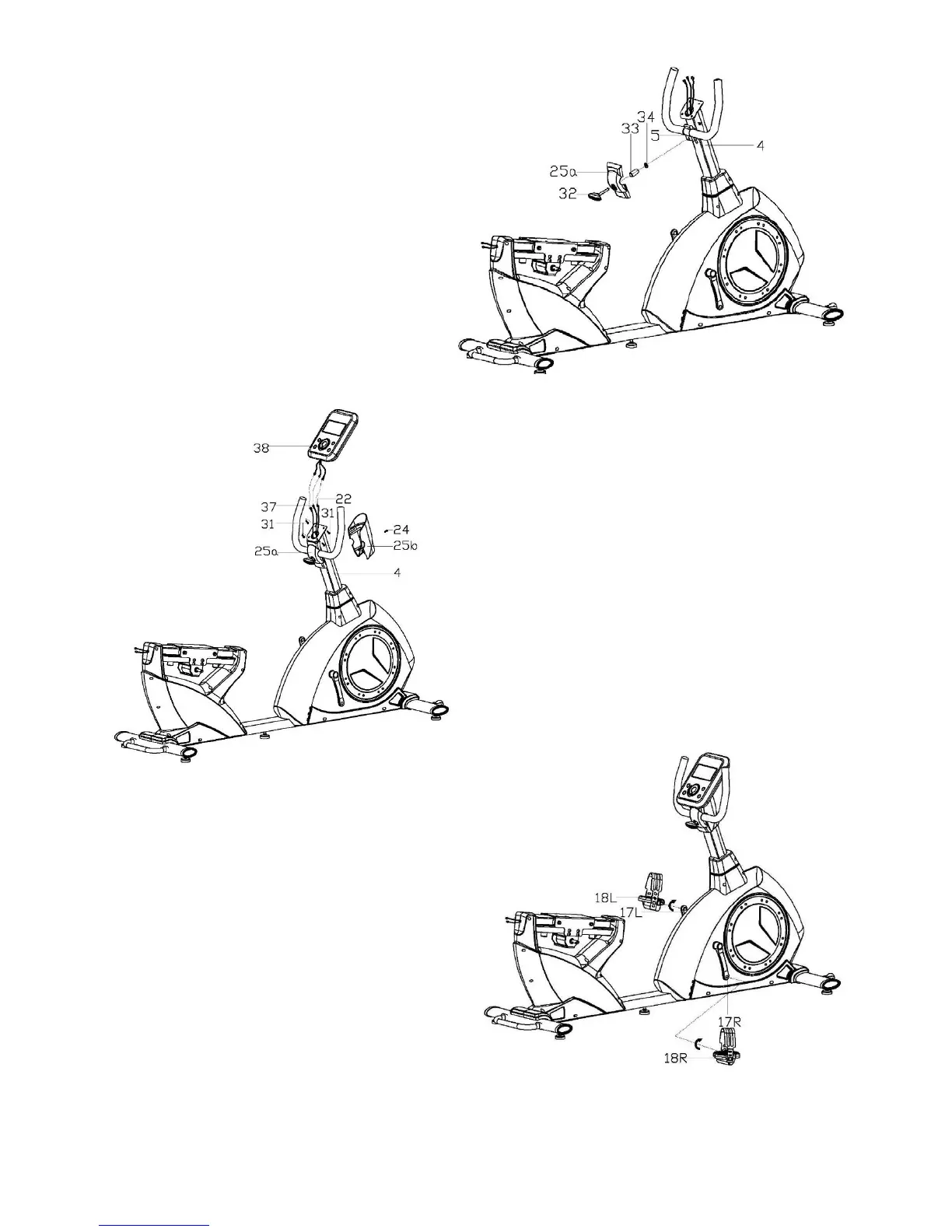
Step 3:
Lock the handlebar (5) to the handlebar
post (4) with the plastic handle
knob(32),protective guard(25a),spacer(33)
and flat washer(34).
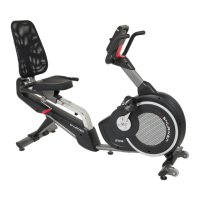
Step 4:
A: Connect the extension pulse wire2 (37),
extension wire(22) with the cables of the
computer(38), then lock the computer(38) on the
computer bracket of the handlebar post(4) with
screws(58).
B: Lock the protective guard (25a/b) to the
handlebar post (4) with screws(24).
Step 5:
Lock the pedal (18L/R) to the crank (17L/R)
with wrench.
Please note: lock the pedal (18L) in
counter-clockwise and lock the pedal(18R) in
clockwise as shown. And make sure the pedal
(18L/R) are locked tightly during your
movement, otherwise the pedal will be broken.


 To Next Page