【
【【
【
DISPLAY FUNCTIONS
】
】】
】
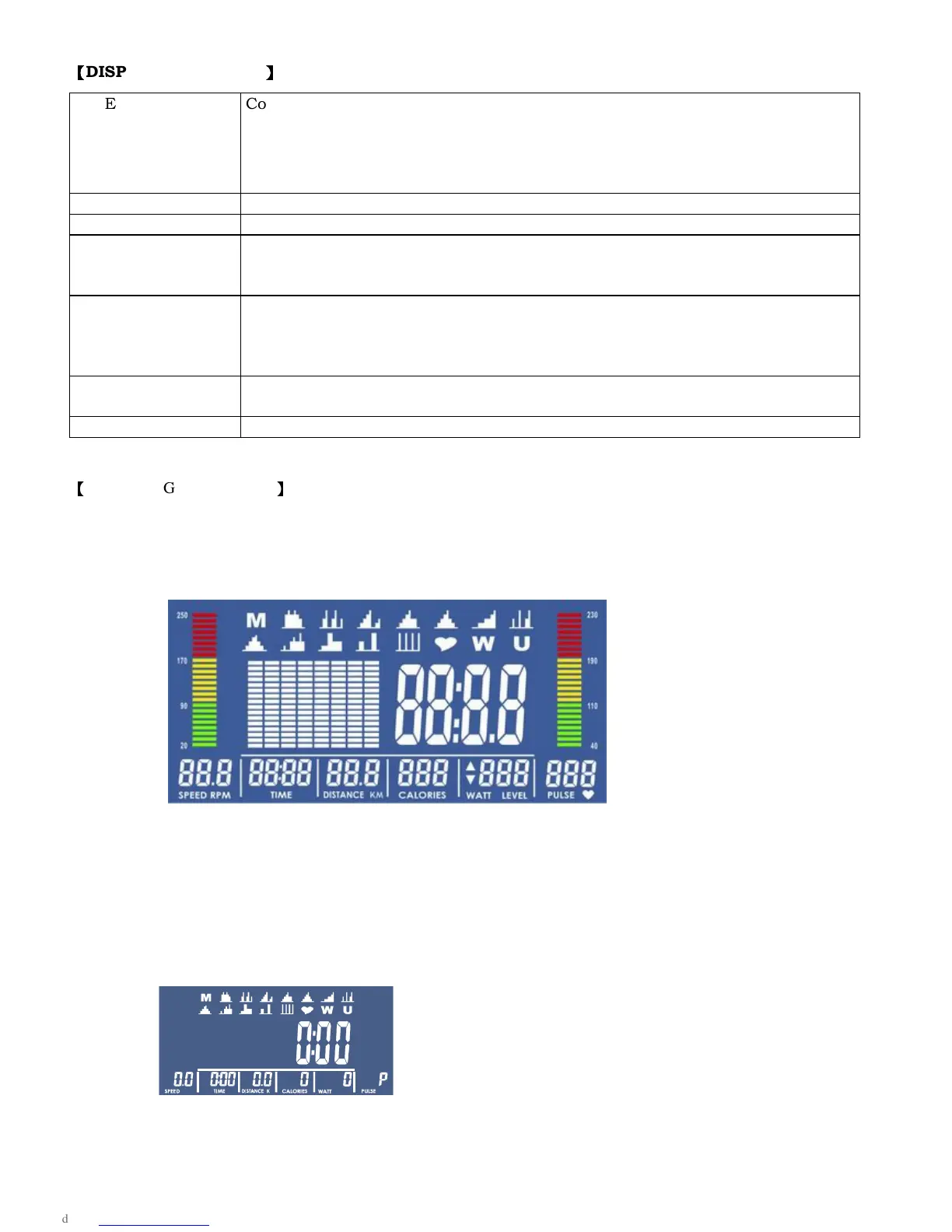
TIME Count up -
No preset target, Time will count up from 00:00 to maximum 99:59
with each increment is 1 minute.
Count down -
If training with preset Time, Time will count down from preset to
00:00. Each preset increment or decrement is 1 minute between 01:00 to
99:00.
SPEED Displays current training speed. Maximum speed is 99.9 KM/H or ML/H.
RPM Displays the Rotation Per Minute. Display range 0~15~999
DISTANCE
Accumulates total distance from 00:00 up to 99.99 KM or ML. The user may
preset target distance data by pressing UP/DOWN button. Each
incensement is 0.1KM or ML.
CALORIES Accumulates calories consumption during training from 0 to maximum 9999
calories.
(This data is a rough guide for comparison of different exercise sessions which
can not be used in medical treatment.)
PULSE User may set up target pulse from 0 -
30 to 230 and computer buzzer will beep
when actual heart rate is over the target value during workout.
WATT Display current workout watts. Display range 0~999.
【
OPERATING PROCEDURE
】
(1) When power’s on, LCD will have 2 seconds of all segments displaying on screen with a beep. Follow by the
wheel diameter, body fat spec and UNIT displaying on LCD for 1 second, system will then enter into the
setting mode.
(2) Users may use ▲ or ▼ key to select one user profile from U1~U4. SEX, AGE, HEIGHT and WEIGHT are
requried to be set. System will enter into the standby mode when all values are done setting.
(3) Use ▲ or ▼key to select MANUAL→ PROGRAM→H.R.C.→WATT→USER PROGRAM→MANUAL in
circulation order. Press the MODE key when selection is determined.



 To Next Page