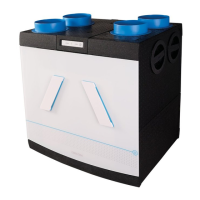
In automatic mode, the MVS-15RH will switch to position
2 when humidity levels increase. The time that the domes-
tic ventilator continues to operate in this mode depends
on the setting of DIP switch 8 and the duration of the
increased levels of humidity.
Pairing remote control(s) to 1 device
The remote control is paired with the MVS-15RHB (CO
2
) at
the factory. Up to a total of 20 components can be linked
to the device.
Pairing extra remote control(s)
Remove the plug of the device from the power point for
5 seconds. Then reinsert the plug into the power point.
The LED on the device ashes alternately red and green,
after which the LED remains green. The device will be in
learning mode for 3 minutes. During this time, you can pair
remote control(s) by pressing the buttons <1> and <auto>
simultaneously until the LED on the remote control ashes
alternately red, green, red. When the remote control has
been successfully paired, the LED on the device and remote
control will ash green 10 times, and the device will briey
accelerate. The remote control is now ready for use.
Reset remote control
A remote control can be reset by pressing the ‹absent› and
‹timer› buttons simultaneously for 3 seconds. The remote
control indicates that the reset is complete by ashing
orange twice.
Setting the CO
2
room sensor
The CO
2
room sensor is paired with the MVS-15RHB CO
2
at the factory.
Connect the CO
2
room sensor to the power supply. During
start up of the CO
2
room sensor, the orange, green and
blue LEDs light continuously. The LED on the CO
2
room
sensor ashes red when it is not paired. When the CO
2
room sensor is paired, the status LED will turn and stay
green. The CO
2
room sensor is now ready for use.
Pairing extra CO
2
room sensor(s)
Remove the plug of the device from the power point for
5 seconds. Then reinsert the plug into the power point.
The LED on the device ashes alternately red and green,
after which the LED remains green. The device remains
in learning mode for 3 minutes. Briey press the control
11


 To Next Page