10
5. Conguration and pairing
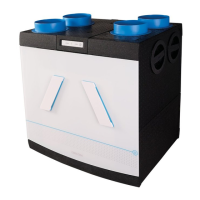
The MVS-15RH is equipped with a receiver PCB on the
motor plate. A separate remote control and/or CO
2
room
sensor must be paired with the receiver PCB.
Device start up
When the device is connected to the power supply: during
start up, the LED on the device ashes alternately red,
green, red. Then the LED on the device turns green for
3 minutes, during which time the device is in learning
mode and can be linked to a remote control or CO
2
room
sensor. The MVS-15RH always starts up in automatic mode.
The MVS-15RH is also equipped with a humidity sensor. This
is integrated in the ventilation cabinet. A number of settings
for the functions of this sensor are possible.
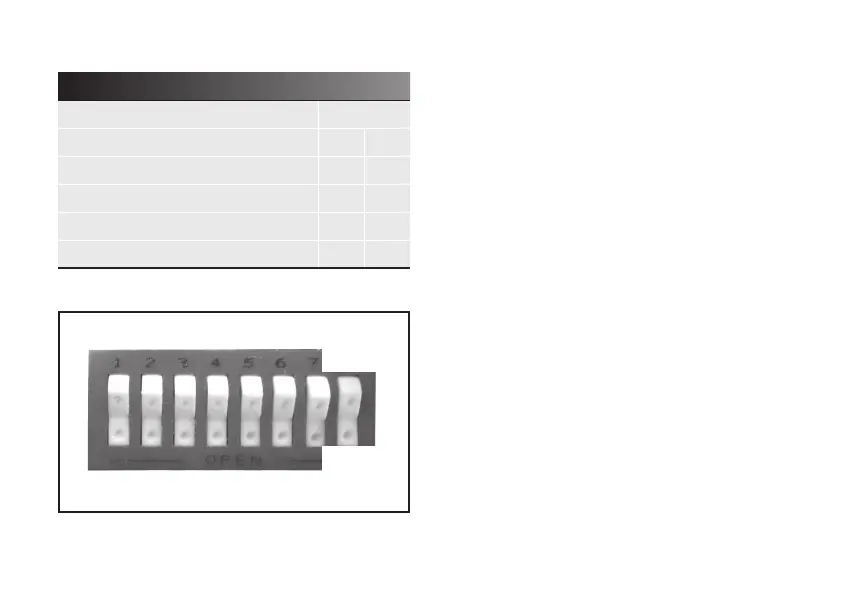
DIP switch 8 = OFF / Normal setting.
15-minute overrun*
DIP switch 8 = ON / Extended setting.
30-minute overrun
* Factory setting
Table 3 DIP switch function 7 and 8
Options DIP switch
7 8
Table A curve speeds
Off -
Table B curve speeds
On -
15-minute afterrun humidity sensor
- Off
30-minute afterrun humidity sensor
- On
ON
OFF
Fig. 8 DIP switches set to OFF in MVS-15RH


 To Next Page