EasyManua.ls Logo

Oreck DUALMAX AIR16UK - User Manual

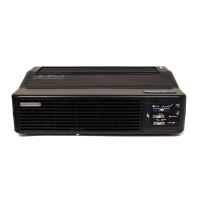
Oreck DUALMAX AIR16UK
16 pages
Print Icon
To Next Page IconTo Next Page
Loading...
OWNER’S
MANUAL
AIR16UK #1-1-134322-00
ORECK DUALMAX
air purifier

Questions and Answers

  • M
    Maureen MorrisonAug 2, 2025
    Why does my Oreck DUALMAX AIR16UK Air Cleaner spark, crackle, and pop?
    • C
      Carolyn GardnerAug 2, 2025
      If your Oreck Air Cleaner is sparking, crackling, and popping, it could be due to a large particle captured in the Truman Cell. Try cleaning the Truman Cell. If the sparking continues after cleaning, the Truman Cell might be damaged or wet; in this case contact Oreck for service.
  • J
    Jessica LarsonAug 9, 2025
    How to fix Oreck DUALMAX AIR16UK Air Cleaner that does not turn on?
    • A
      Allison RichardsonAug 9, 2025
      If your Oreck Air Cleaner isn't turning on, first ensure the power cord is securely plugged in. Next, check that the selector switch is set to your desired fan speed. Finally, make sure the top cover is securely closed.
  • L
    Lindsey RussoAug 15, 2025
    What to do if Oreck DUALMAX AIR16UK does not remove pollutants?
    • S
      Sarah SmithAug 15, 2025
      If your Oreck Air Cleaner isn't removing pollutants, clean the Truman Cell and ensure it is completely dry before reinstalling. If the issue persists, the Truman Cell may be damaged; contact Oreck customer service.
  • R
    Robert MitchellAug 20, 2025
    Why is the Truman Cell light blinking amber on my Oreck DUALMAX AIR16UK Air Cleaner?
    • R
      Ryan WalkerAug 20, 2025
      If the Truman Cell light on your Oreck Air Cleaner is blinking amber, it may be because the power supply has shut down due to arcing or a short circuit. The cell should be inspected, cleaned, repaired, or replaced. A slow blinking light can also indicate that the unit is in dry mode.
  • J
    James FowlerAug 27, 2025
    What to do if the Truman Cell light is solid amber on Oreck DUALMAX AIR16UK?
    • L
      Latoya ColonAug 27, 2025
      If the Truman Cell light on your Oreck Air Cleaner has turned solid amber, wash the collector cell, making sure it is thoroughly clean and dry before reinstalling.

Summary

Important Safety Instructions

Fire, Electric Shock, and Injury Warnings

Critical warnings to mitigate risks of fire, electric shock, and personal injury during appliance use.

General Safe Operation Precautions

Essential precautions for safe and proper operation, including placement, cord handling, and usage environment.

Technical Specifications

Product Features

Pre-Filter

Filters large particles such as dust, hair, and lint from the air.

Cleaning Brush

Tool for cleaning front/back grills; stores in compartment.

Odour Absorber

Reduces odors and chemical fumes using catalytic technologies and internal lights.

Truman Cell

Electrostatically charges and collects small particles like dust, smoke, and pollen.

Exhaust Grill

Directs the flow of cleaned air as it exits the unit.

Power Cord

Connects the air purifier to an electrical outlet for operation.

Night Light Feature

Illuminates Oreck logo and control panel indicators when activated.

Collector Cell Light Indicator

Indicates when to clean the Truman Cell® (solid amber) or signals a malfunction (blinking).

Speed Indicator Lights

Cumulatively indicates air cleaning speed: low, medium, or high.

Odour Absorber Button

Controls internal lights; turning off reduces odor/VOC filtering capability.

Operation

Placement

Locate the air purifier on a hard surface, ensuring grilles are unobstructed and away from flames.

Plugging In

Connect the air purifier to a standard electrical outlet.

Selecting Speed

Press the motor speed/power button to choose the desired air cleaning speed.

Cleaning

Cleaning Safety Warning

Unplug the unit before cleaning to prevent electric shock, sparks, or serious injury.

Cleaning Intervals and Methods

Chart detailing recommended cleaning times and methods for the cabinet, Truman Cell®, pre-filter, and grill.

Cleaning the Pre-Filter

Step-by-step guide on removing, rinsing, and reinstalling the pre-filter.

Cleaning the Truman Collector Cell

Instructions for cleaning the Truman Cell®, including notes on arcing and cleaning methods.

Drying the Truman Cell

Procedure for drying the Truman Cell® after cleaning, including a 'Dry Mode' operation.

Cleaning the Exhaust Grill

Instructions for using the cleaning brush to remove debris from the exhaust grill slots.

Troubleshooting

Unit Not Turning On

Checks and solutions for when the unit fails to power on.

Truman Cell Light Issues

Troubleshooting for solid amber or blinking amber Truman Cell indicator lights.

Pollutant Removal Issues

Solutions for when the unit is not effectively removing pollutants from the air.

Sparking, Crackling, or Popping Noises

Diagnosing and resolving noises like arcing, which may indicate a dirty or damaged Truman Cell®.

Unit Not Operating Properly

General advice for addressing operational issues not covered elsewhere.

Warranty Information

Oreck DUALMAX AIR16UK Specifications

General IconGeneral
BrandOreck
ModelDUALMAX AIR16UK
CategoryAir Cleaner
LanguageEnglish

Related product manuals