EasyManua.ls Logo

Oreck ProShield Plus - User Manual

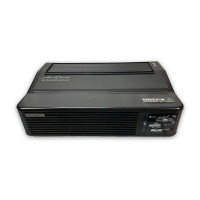
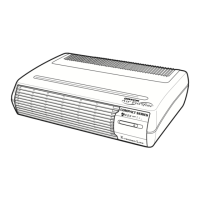
Oreck ProShield Plus
48 pages
Print Icon
To Next Page IconTo Next Page
Loading...
Air Purier
Important!
Read this manual
carefully, and
keep for future
reference.
User’s
Guide
Oreck ProShield
®
Plus Air Purier

Questions and Answers

  • E
    elaraAug 7, 2025
    How to fix Oreck Air Conditioner that does not turn on?
    • T
      Tracey JamesAug 7, 2025
      If your Oreck Air Conditioner doesn't turn on, ensure the power cord is plugged in. Next, check that the selector switch is set to your desired blower speed. Also, make sure the top cover is securely closed. Finally, press the red reset button each time you plug in the ALCI safety device.
  • A
    Alexandra Wright PhDAug 13, 2025
    What to do if Oreck Air Conditioner sparks, crackles, and pops?
    • J
      John RiceAug 13, 2025
      If your Oreck Air Conditioner is sparking, crackling, and popping, it might be due to a large particle captured in the Truman Cell®. Try cleaning the Truman Cell®. If excessive arcing continues after cleaning, the Truman Cell® may be damaged.
  • B
    Brianna MccoyAug 19, 2025
    Why Oreck Air Conditioner does not reduce particles?
    • A
      Ashley PetersonAug 19, 2025
      If your Oreck Air Conditioner isn't reducing particles, begin by cleaning the Truman Cell®. If the issue persists, the Truman Cell® may be damaged.
  • H
    Henry NewtonAug 25, 2025
    What does blinking red light mean on Oreck Air Conditioner Truman Cell®?
    • M
      Michael HawkinsAug 26, 2025
      A blinking red light on your Oreck Air Conditioner's Truman Cell® could mean a couple of things. A slow blinking light indicates the unit is in Dry Mode. Otherwise, the power supply might have shut down due to arcing or a short circuit. In this case, the cell should be inspected and cleaned, repaired, or replaced.
  • W
    William MillerAug 30, 2025
    What does solid red light mean on Oreck Air Conditioner Truman Cell®?
    • C
      Carla MooreAug 30, 2025
      A solid red light on the Truman Cell® of your Oreck Air Conditioner is a 30-day cleaning reminder. Wash the Truman Cell® and ensure it is thoroughly clean before reinstalling.

Summary

Safety Information

General Warnings

Important safety instructions to prevent injury or damage.

Placement Warnings

Guidelines for safely positioning the air purifier.

Product Features

Core Filtration Components

Details the main filters and shields for air purification.

Unit Controls and Indicators

Explains the function of control buttons and indicator lights.

Unit Components and Remote Control

Describes the front grille, air intake, and the remote control operation.

Operation

Unit Placement and Setup

Instructions on how to position and set up the air purifier for use.

Powering On and Speed Selection

Steps for plugging in the unit and selecting the desired fan speed.

Cleaning and Maintenance

Cleaning Intervals and Methods

Chart detailing how often and how to clean the air purifier components.

Cleaning Safety Precautions

Important safety warnings to follow before cleaning the unit.

Cleaning the Pre-Filter

Step-by-step guide for cleaning the pre-filter component.

Cleaning the Truman Cell

Instructions for cleaning the electrostatically charged Truman Cell®.

Drying the Truman Cell

Procedure for drying the Truman Cell® after cleaning.

Cleaning the Catalytic Oxygenator

Guide on how to clean the catalytic oxygenator component.

Cleaning the Exhaust Grille

Instructions for cleaning debris from the exhaust grille.

Troubleshooting

Unit Not Turning On

Solutions for issues where the air purifier does not power on.

Truman Cell Light Issues

Explains solid and blinking red lights for the Truman Cell®.

Particle Reduction and Arcing Problems

Addresses reduced particle capture and sparking/popping noises.

General Operation Problems

Solutions for when the unit is not operating correctly.

Warranty Information

Limited Warranty Terms

Details the limited warranty coverage, duration, and exclusions.

Oreck ProShield Plus Specifications

General IconGeneral
Product TypeAir Cleaner
ModelProShield Plus
Filtration TypeHEPA
CADR (Dust)140
FeaturesHEPA filter

Related product manuals