5
INSTALLING AND REPLACING
THE BATTERIES
Thismonitorcanworkwitha6Vadaptorwhichhastobe
purchasedseparately.
1. Slideoffthebatterycover.
2.
Installthebatteriesbymatchingthecorrectpolarities.
Alwaysusethecorrectbattery
3. Alignthecoveratagainstthebatterycompartment,
andthenslideitupwards.
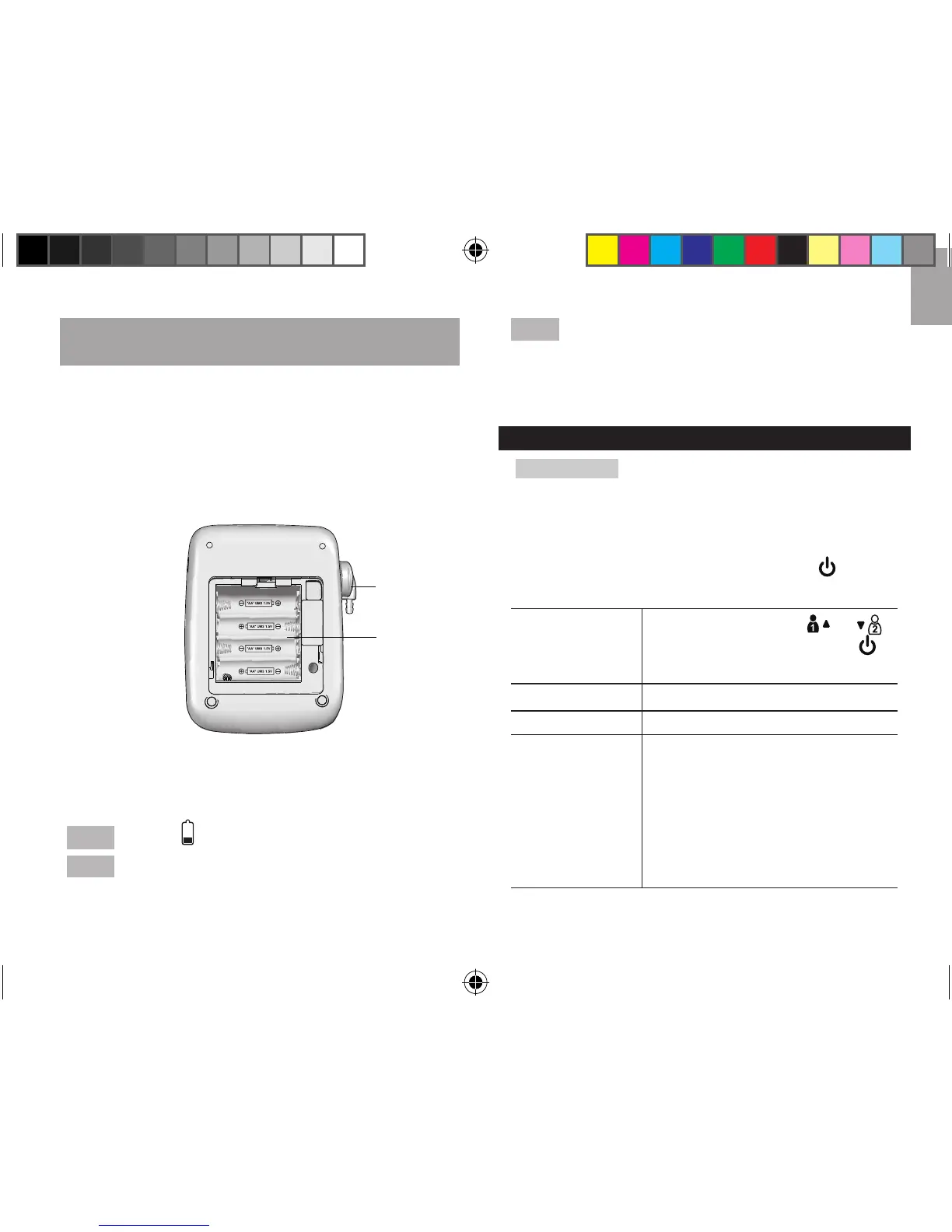
Abovediagramdisplays:
1.Airoutlet
2.Batterycompartment
NOTE
Flashingindicatesmonitorbatteriesarelow.
NOTE
Replacebatteriespromptlytoensureaccurate
readings.Replaceallthebatteriesatthesametime;itis
dangeroustomixoldandnewbatteries.
NOTE
Contactyourlocalwastedisposalauthorityfor
instructionsonhowtodisposeofusedbatteries.Used
batteriescanbeharmfultotheenvironment,andshould
notbethrownoutwithhouseholdtrash.
MONITOR SETTINGS
IMPORTANTAsbloodpressuremeasurementsare
recordedinthememorywithdateandtimestampfor
easyanalysis,setthemonitorpriortorstusetoensure
measurementsarecorrectlymarked.
Tosetthemonitor:
• Whenmonitor is off, press and hold to enter
settingmode.
Settings
Settingoptions(Press
or
toadjustthevalue,andpress
toconrm)
Date Year,month,date
Time Hourformat,hour,minute
Audio
function
On/off
Volumecontrol(HI/Lo)when
functionenabled
Language:
(En)English
(Fr)French
(CH)Putonghua
(CHHk)Cantonese
(SP)Spanish
1
2
BPU321OS_UM_EN_R20.indd 5 13-12-5 ��1:46



 To Next Page
 Loading...