7
• Waitatleast3minutesbetweenmeasurements.This
allowsyourbloodcirculationtorecover.
Fora meaningfulcomparison,trytomeasureunder
similarconditions.Forexample,takedailymeasurements
atapproximatelythesametime,onthesamearm,oras
directedbyaphysician.
TAKING A MEASUREMENT
Ifyouwantthemonitortosynchronizewiththeapplication
ofyourmobiledevice.Pleasedopreparationbefore
startingameasurement.
1. Turn on the application and ensure the Bluetooth
connectiononyoursmartdeviceisgood.
2. Relaxyourarm.
3. Press
toturnontheunit.
4. Selectuser, then a voice prompts you to sit in the
correctpositionandtoremainstill:
Button User Memory
Guest Norecordsstored
1 RecordstoredunderUser1
2 RecordstoredunderUser2
5. Armcuffwillbegininatingautomatically.Digitswill
appearonthescreen.
6. Oncethepressurereachesacertainlevel,itwillslowly
deateuntiltheresultsaredisplayedontheLCD.
7. Themonitor automatically attempts to send the
record wirelessly to your mobiledevice. If data
transmissionsuccesses,bLEwilldisplayonthetop
ofthemonitorscreen.
8. Toconservebatterylife,monitorwillturnoff1minute
aftertaking a measurement.Alternatively, press to
manuallyturnoffmonitor.
NOTE
Pleasesanitizethemonitorandmainaccessories
foravoidcrossinfection.
POWER OFF
Tostopthemeasurementprocessatanytime,press.
UNDERSTANDING THE READING
Forreferencematerial,pleaserefertoUseful Reference
sectionwhichcanbefoundattheendofthismanual.
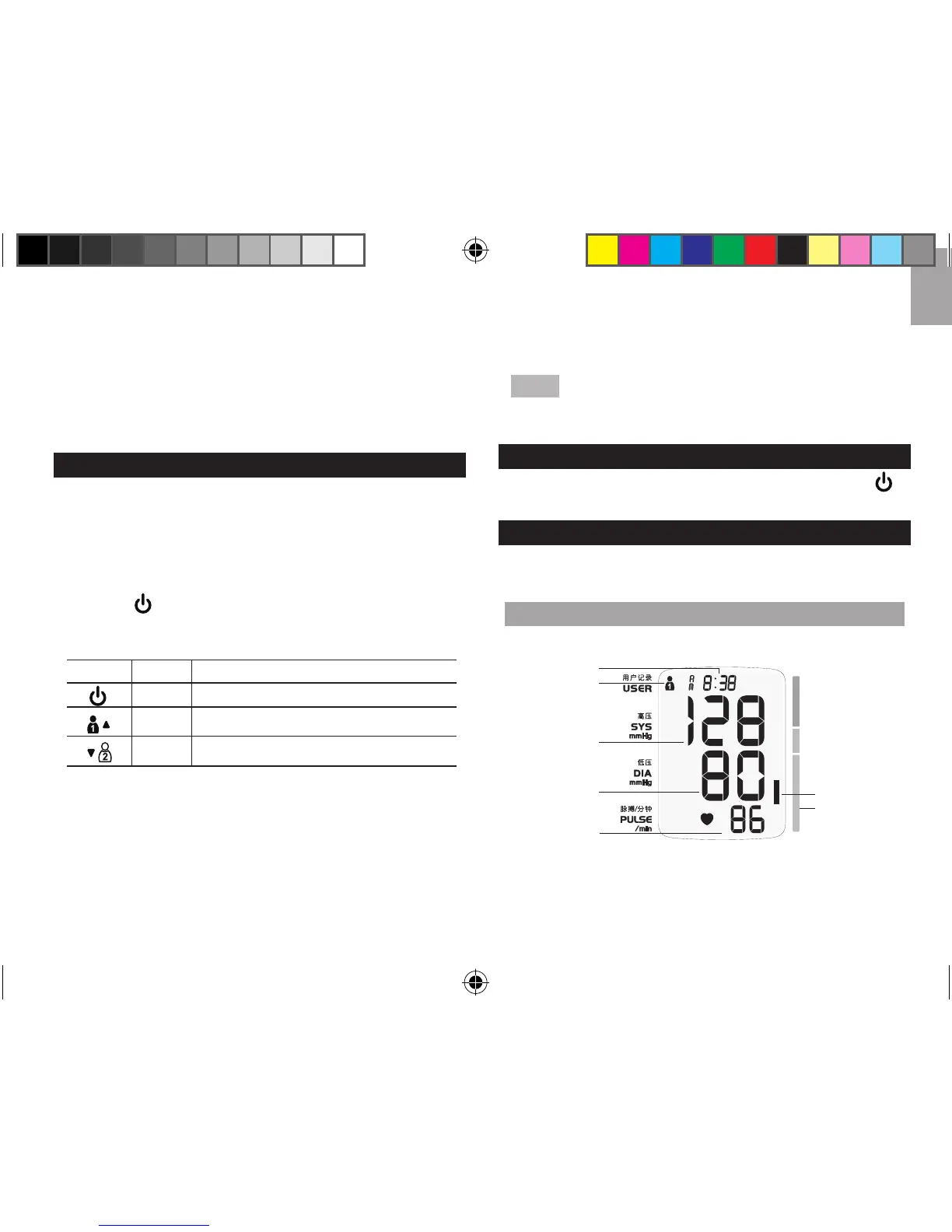
DISPLAY
Example:
1. Date/Timestamp(automaticallytoggles)
2.Userselected
3.Systolicpressure
6
7
1
2
3
4
5
BPU321OS_UM_EN_R20.indd 7 13-12-5 ��1:46



 To Next Page