Device Binding
Before binding with your device, please pay attention to the following tips:
Please make sure that the NAS device is operating in network mode, and the status
light stays blue constantly.
Do not use a Type-C data cable to connect to the computer. (Disconnect the data
cable connection).
Only use the Weline APP to scan the QR code at the bottom of the device.
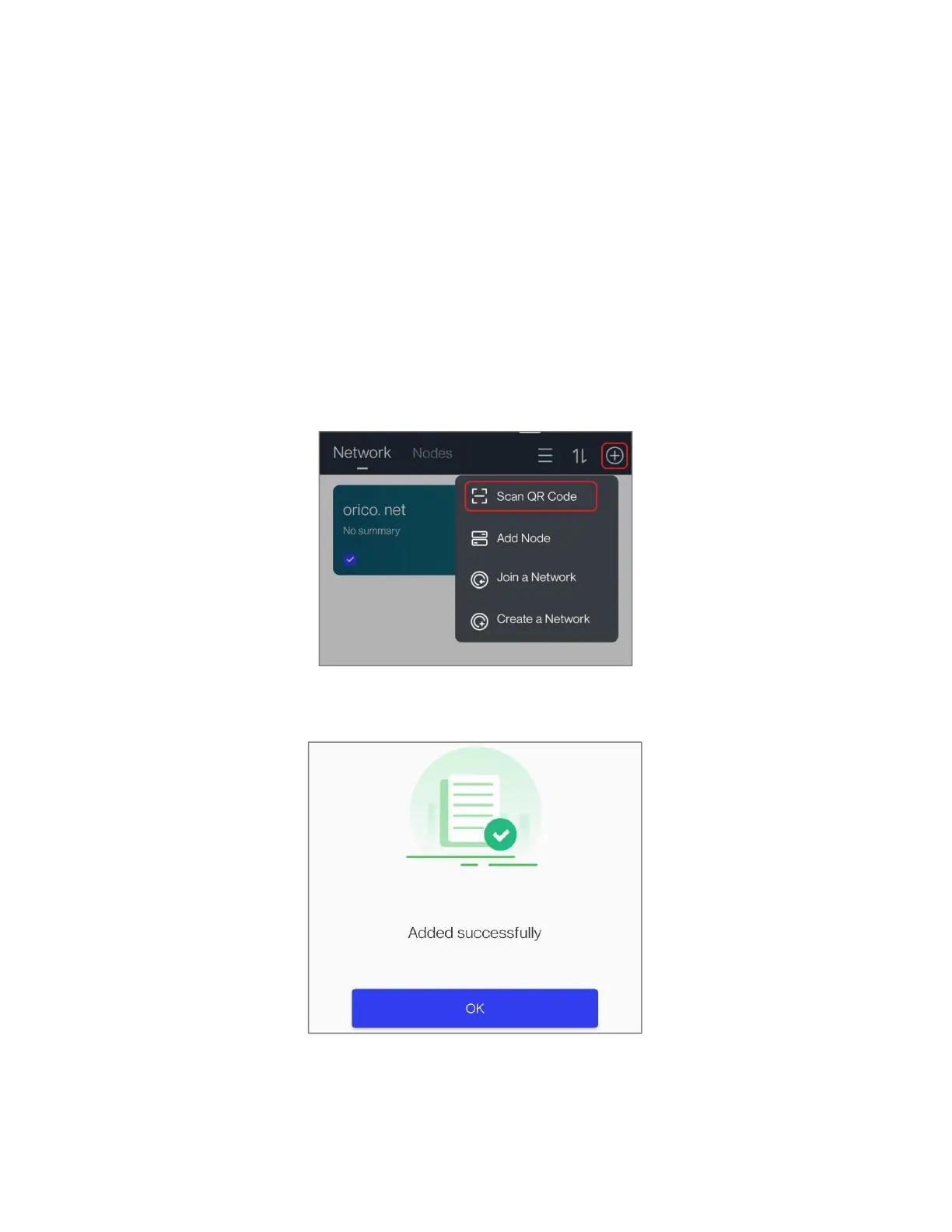
1. Go to the "Resources" page, click the "
⊕
" symbol, and then click "Scan QR Code" to
scan the QR code of the CD2510 / CD3510 device.
Note: If QR code scanning shows "Node offline", please check if the network or cable
connection is abnormal. After ruling out the abnormality, try scanning again.
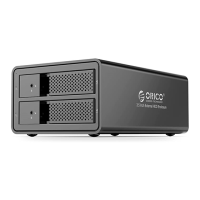
2. Scan the code and bind the device successfully, click "OK".



 To Next Page