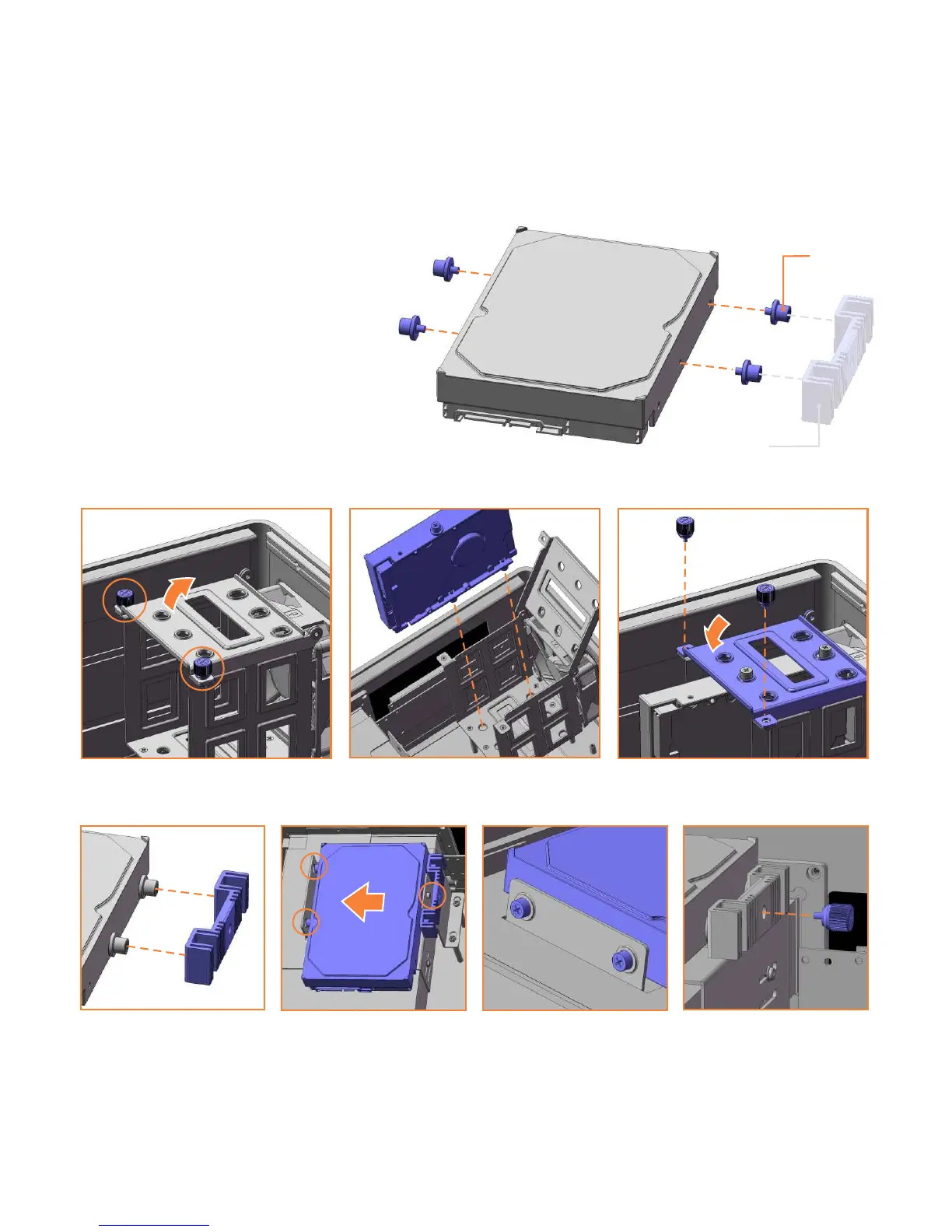
Hard Drive installation [S14V/S16V]
The S14V and S16V support up to
4 hard drives*, three in the primary
HD cage and one above the ODD.
. The mount
bracket is only needed for the drive
above the ODD and should be fitted
on the one side prior to installation.
Each HD requires four anti-vibration
mount screws, secured as shown,
which will isolate the drive from the
chassis once installed
To install drives 1,2 and 3, begin by removing the two thumb screws...
To install the 4th HD above the optical drive...
*A fifth drive can be installed to the S16V, using the HM100 hard drive mount (optional).
mount
screw
mount
bracket
10


 To Next Page