14
Installing VFD/IR Software
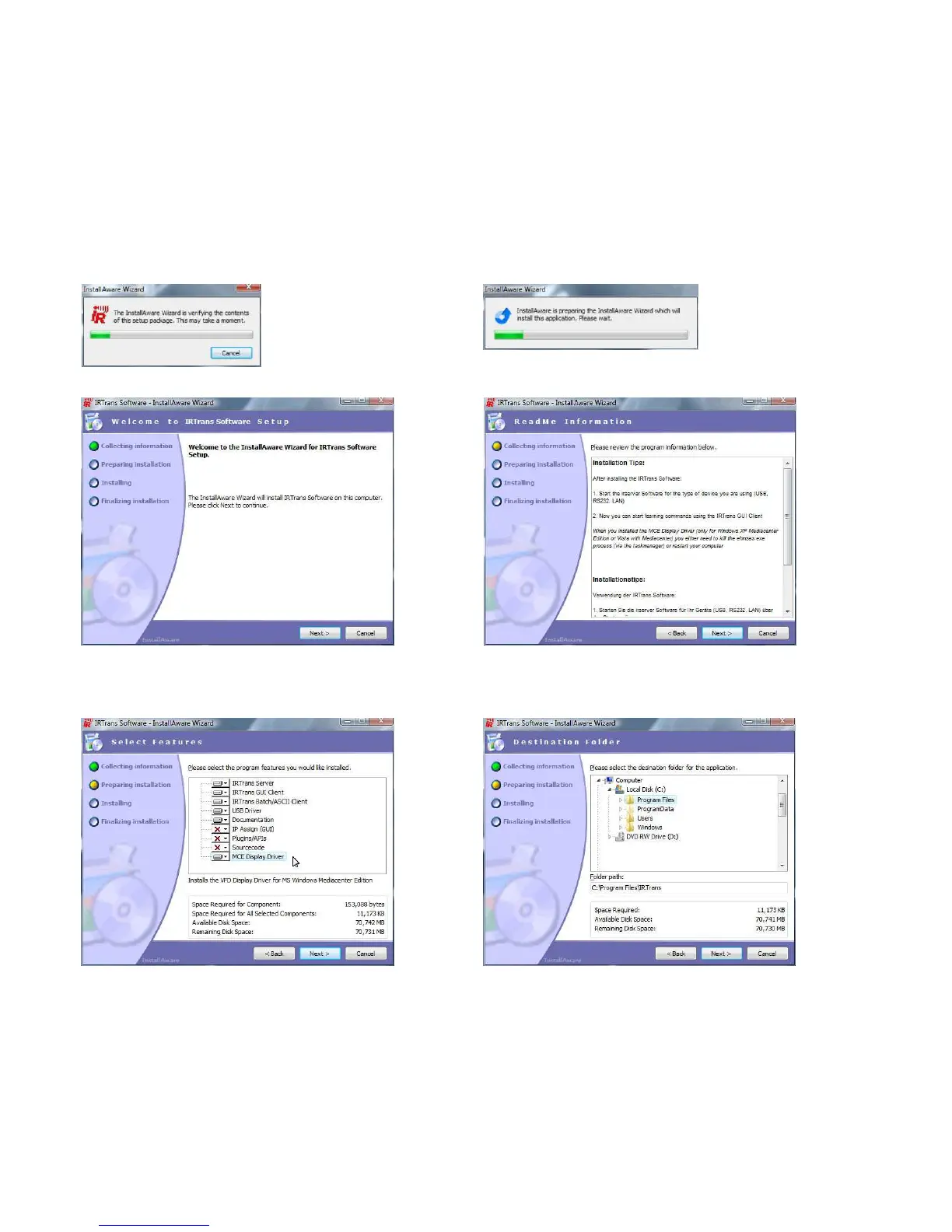
Download the latest IR Trans software from our website, extract the files then follow these steps...
1 Begin the
installer by double
clicking the IR
Trans setup file
2 Installer will
unpack and verify
its contents
3 The main IR Trans installer page
will load, click next to continue
4 Please read installation notes then click next
6 Select the destination folder. We recommend
using the default location, then click next
5 Ensure that you’ve selected the MCE Display
Driver from the options page then click next


 To Next Page