6
2-4. Setup the UPS
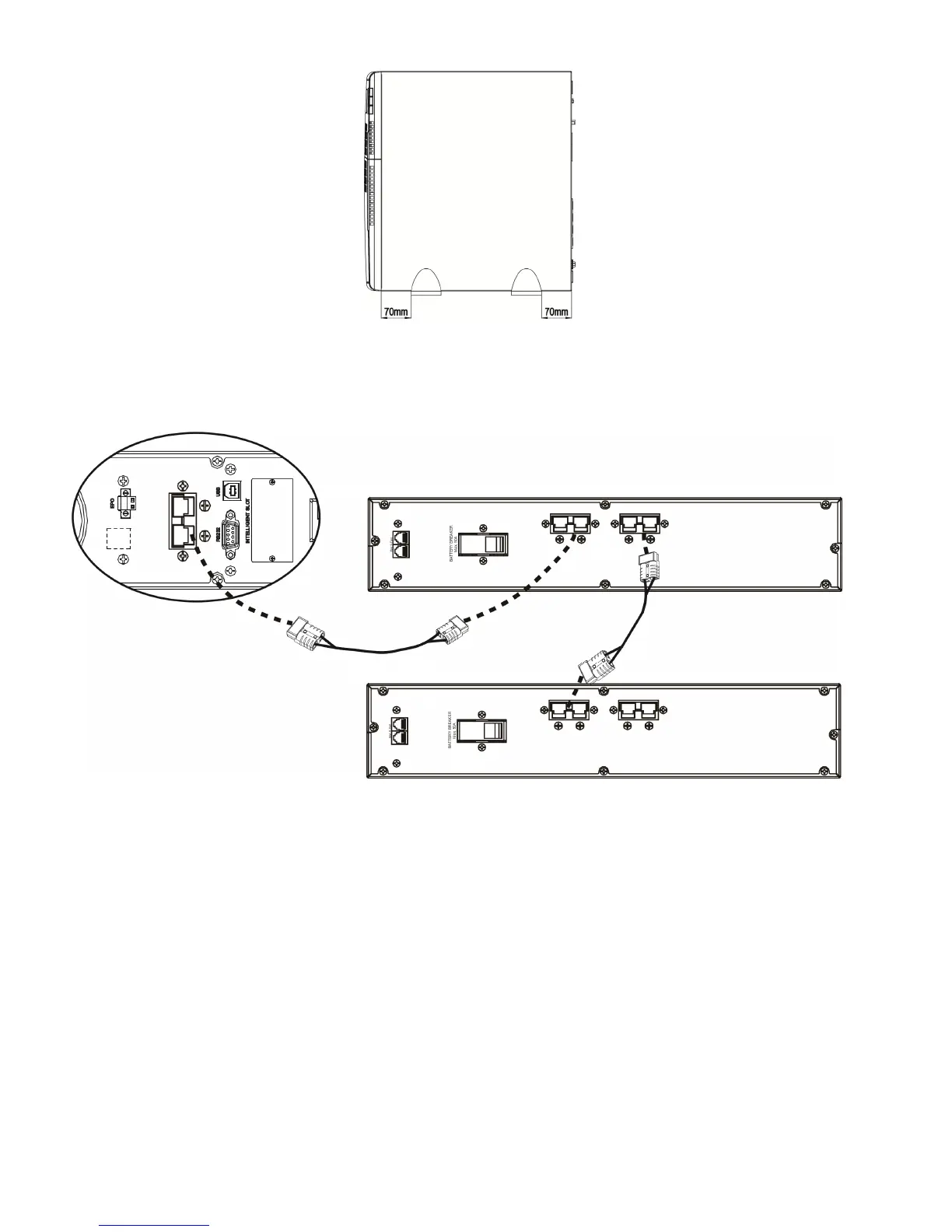
Step 1: External battery connection (for X models only)
Connect one end of external battery cable to UPS unit and the other end to battery pack. See
below chart for detailed connection.
Step 2: UPS input connection
Plug the UPS into a two-pole, three-wire, grounded receptacle only. Avoid using extension cords.
CAUTION: Please also install a UL-approved circuit breaker (40A) between the mains and AC
input in 3K model for safety operation.
Step 3: UPS output connection
There two kinds of outputs: programmable outlets and general outlets. Please connect non-critical
devices to the programmable outlets and critical devices to the general outlets. During power
failure, you may extend the backup time to critical devices by setting shorter backup time for
non-critical devices.
Step 4: Communication connection
Communication port:
USB port RS-232 port Intelligent slot


 To Next Page