Need help?
Do you have a question about the Orion 430LED4K and is the answer not in the manual?
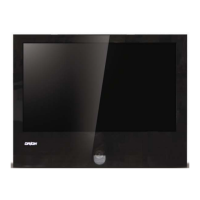
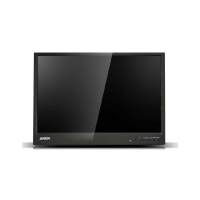
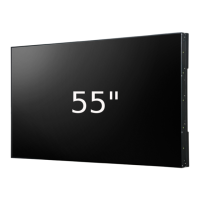
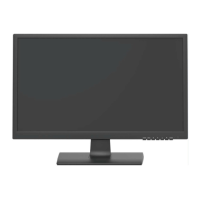
This document describes the ORION 4K LED Monitor, available in models 430LED4K and 550LED4K. It is a robust color monitor designed for continuous operation, particularly suitable for closed-circuit TV (CCTV) systems. The display features an active matrix, thin-film transistor (TFT), liquid crystal display (LCD) panel, ensuring a clear and stable image.
The ORION 4K LED Monitor serves as a high-resolution display for various video inputs, supporting 4K resolution (3840x2160) at 60 Hz. It is equipped with multiple video input options, including HDMI 1.4, HDMI 2.0, and DisplayPort 1.2, allowing for versatile connectivity with different source devices. The monitor also includes audio input/output sockets, enabling comprehensive multimedia integration.
A key feature of this monitor is its multilingual On-Screen Display (OSD) menu, which provides an intuitive interface for users to easily set up and optimize the display parameters. The OSD menu allows for adjustments to various display settings, including contrast, brightness (backlight), color temperature, gamma, and color effects (such as Ultra Vivid, saturation, and hue). These controls enable users to fine-tune the image quality to suit their specific viewing preferences and environmental conditions.
The monitor supports multiple display modes, including single picture (1P), two pictures side-by-side (2P LR), two pictures top-and-bottom (2P TB), picture-in-picture (2P PIP), and four pictures (4P). These multi-window display functions are highly beneficial for monitoring multiple video feeds simultaneously, which is a common requirement in CCTV and surveillance applications.
In 1P mode, the user can select a single input source and display it across the entire screen. The 2P LR mode allows for two different input sources to be displayed side-by-side, with options to adjust the aspect ratio and swap the left and right pictures. Similarly, 2P TB mode displays two sources in a top-and-bottom arrangement, with the ability to swap their positions. The 2P PIP mode overlays a smaller secondary picture onto a larger main picture, offering flexibility in terms of position (left top, right top, left low, right low, mid, user-defined) and size (0-10). The 4P mode is the most comprehensive multi-window feature, allowing four different input sources to be displayed simultaneously in a quad layout (left top, left low, right top, right low), or across the full screen. For all multi-window modes, users can select the input source and audio channel independently for each displayed picture.
The monitor also includes an "OD (Over Driver)" function, which accelerates the panel response time, and a "Low Blue Light" function to reduce eye strain during prolonged use. Users can also adjust the border width and color of the multi-window displays, enhancing customization and visual clarity.
The ORION 4K LED Monitor is designed for ease of use and flexibility in installation. It can be positioned on a horizontal surface using its plastic base and rubber feet, or it can be wall-mounted using a separately purchased bracket. The monitor's control key board, located on the device, provides direct access to essential functions such as source selection, OSD menu navigation, and power control. The "Source" button allows users to cycle through available video inputs (DP, HDMI 1-4). The "Menu" button opens the OSD menu or exits an item. Directional arrows are used to navigate within the OSD menu and adjust values like volume and backlight. The "Power" button turns the monitor on or off, with an indicator light showing its status (off, on, or power-saving mode).
The OSD menu offers extensive control over the display. Users can adjust image parameters like contrast, brightness, gamma, and color temperature (e.g., 11000K, 9300K, 7500K, 6500K, or user-defined). Color effects can be chosen from presets like Standard, Games, Movies, Pictures, FPS1, and FPS2, or customized by adjusting saturation and hue. The "Current Mode" option displays the active picture mode.
For multi-window displays, the OSD menu provides detailed controls. In 2P LR mode, users can select the left or right region to edit, choose input sources for each, and select audio inputs. Similar options are available for 2P TB, 2P PIP, and 4P modes, allowing for precise configuration of each window's content and audio. The "DP Option" allows selection between DP1.1 and DP1.2 channels.
The "SET" menu offers general settings such as "Display Set" (for display function settings), "Audio Set" (for volume and mute), "OSD Set" (for OSD menu language, display time, and position), "OD (Over Driver)", "Information" (to show display information), and "Reset" (to restore factory settings). The OSD menu supports multiple languages, including English, French, Spanish, Portuguese, and Russian.
Maintaining the ORION 4K LED Monitor involves simple yet crucial steps to ensure its longevity and optimal performance. Regular cleaning is recommended to remove dust and dirt. The manual advises using a dry cloth for delicate rubbing. For more stubborn dirt, a cloth dipped in neutral detergent can be used, but volatile liquids such as petrol, alcohol, solvents, or chemically treated clothes should be avoided, as they can cause deformation, deterioration, or scratches to the paint finish.
Safety precautions are emphasized throughout the manual. The device should be kept away from rain and humidity to prevent fire and electrocution risks. Introducing solid or liquid materials inside the device is strictly prohibited. If this occurs, the device must be disconnected from the mains and inspected by qualified personnel. Users are warned against opening the device themselves and should always contact qualified personnel or an authorized service center for repairs.
To prevent overheating, the monitor should be installed in a position that allows adequate airflow through its casing, with at least 5 cm of free space when installed in a rack. It should not be placed near heat sources, direct sunlight, or in areas subject to excessive dust, mechanical vibrations, or shocks. The device should always be placed on a stable surface to prevent falls, which could cause injury or mechanical damage.
It is important to avoid placing heavy or heat-generating objects on top of the monitor, as this can damage the casing or increase internal temperature. Covering the device with a cloth while it is running is also discouraged for the same reasons. Magnets and magnetized objects should be kept away from the device to prevent faults.
If the monitor has been transported from a cold to a warm place, or vice versa, it is advisable to wait approximately three hours before operating it to allow it to adapt to the new ambient temperature and humidity. Disconnecting the power cord is recommended if the monitor will not be used for an extended period. Adhering to these maintenance and safety guidelines will help ensure the reliable and safe operation of the ORION 4K LED Monitor.
 General
| Screen Size | 43 inches |
|---|---|
| Resolution | 3840 x 2160 (4K UHD) |
| Aspect Ratio | 16:9 |
| Refresh Rate | 60 Hz |
| Panel Type | LED |
| Viewing Angle | 178° (H) / 178° (V) |
| Input Ports | HDMI, DisplayPort, USB |
| VESA Mount | 200 x 200 mm |

 To Next Page