2 ALARM PANEL
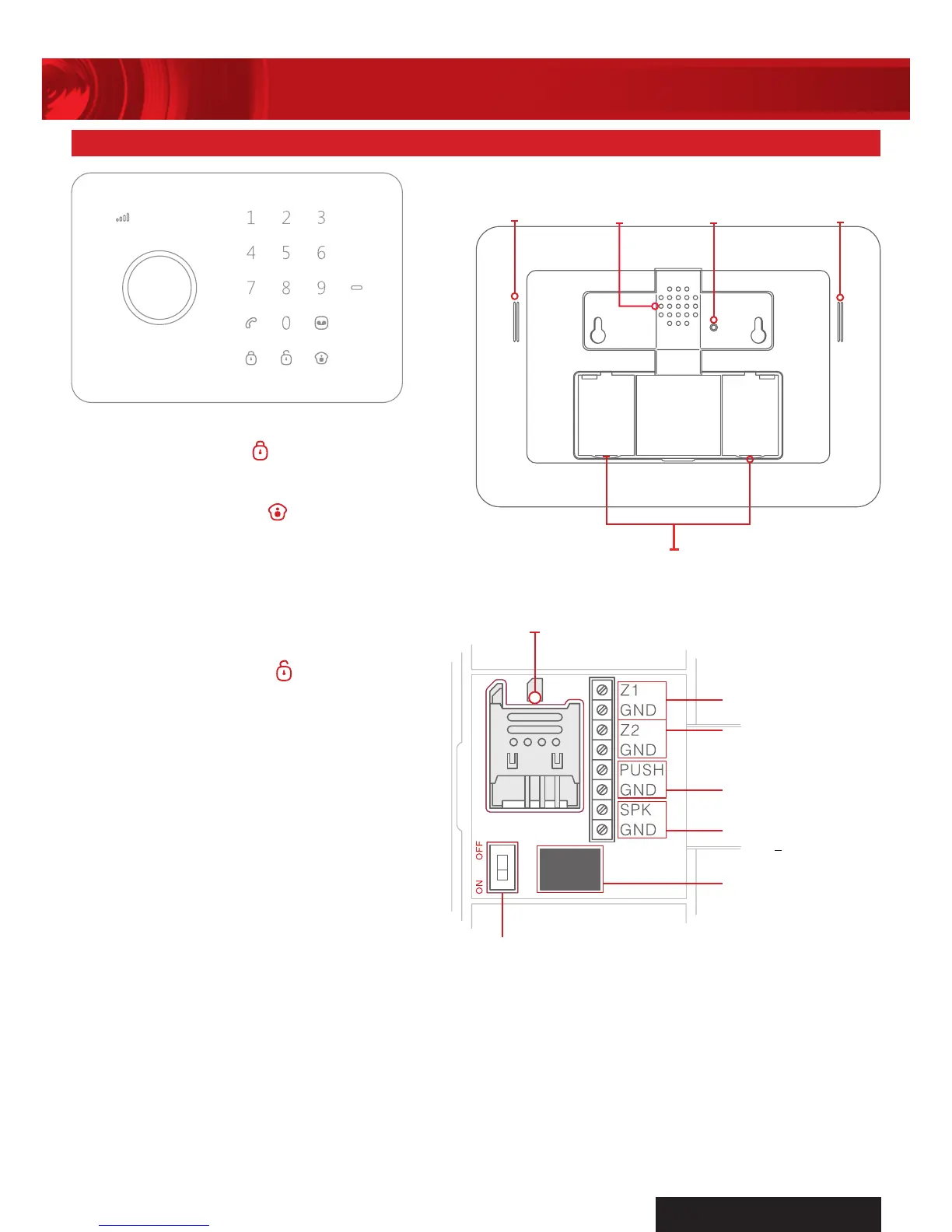
ARM
Press the Arm Button
to arm the system.
HOME MODE
Press the Home Button
to arm the system
in home mode. All the sensors in Normal Zone
are armed except those in Home Mode Zone
which are disarmed so that user can move
freely at home.
DISARM ON KEYPAD
Input 4 digits password (Default:1234), and
press the Disarm Button
to disarm the
system after one beep. If three beeps are
heard, password is wrong and please
input again.
DISARM BY RFID TAG
Wave the RFID tag near the RFID Reader area
to disarm the system.
GSM SIGNAL INDICATOR
GSM Networking searching:
- Flashes once every second.
GSM signal normal:
- Flashes once every 2 seconds.
IMPORTANT
A SIM card is required to access most functions of AM2000 Home Alarm System.
1. Restart the alarm panel after inserting a new SIM card.
2. SIM card not included. Please use a valid SIM card that is compatible to the GSM network with
sufficient credit to enable the GSM SMS function of AM2000 Home Alarm System.
3. Please store the AM2000 SIM card number in a safe place and keep as a secret because
AM2000 Home Alarm System can be controlled via SMS operation.
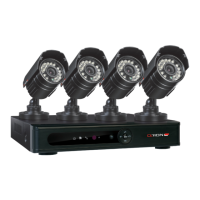
INPUT FOR POWER
SUPPLY
OUTPUT FOR WIRED
SIREN
<
500MA
OUTPUT FOR
ELECTRONIC LOCK
INPUT FOR
WIRED SENSORS
(NORMAL ZONE)
INPUT FOR
WIRED SENSORS
(24-HOUR ZONE)
POWER ON/OFF
SIM CARD SLOT


 To Next Page