6
WIRELESS AUTODIAL HOME ALARM SYSTEM AM2000
PROFESSIONAL
SECURITY SYSTEM
Send:
NOTE:
Value of default setting will be changed once users
finish programming.
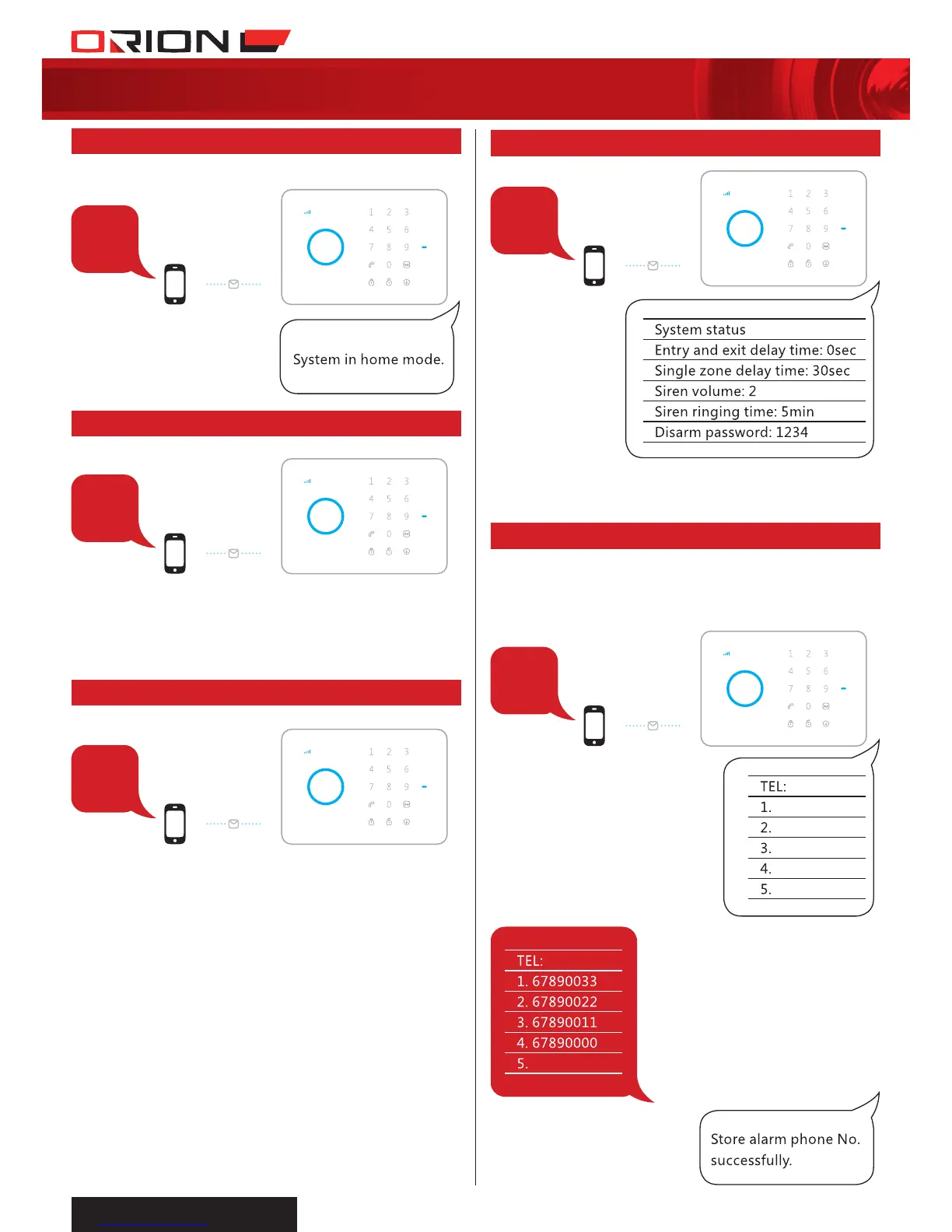
Alarm panel makes phone calls to stored
phone numbers when alarm is triggered.
Send:
Forward > Edit
00
5
2.14 SETTINGS INQUIRY
2.15 STORE ALARM PHONE NO.
2
3
4
Send:
Send:
Send ‘3’ to the SIM card number, the alarm
will call back. Pick up the phone and start
two-way talk.
Send:
Send ‘4’ to the SIM card number, the alarm
will call back. Pick up the phone, and leave
10 seconds message. The panel will hang up
after 10 seconds.
2.11 STAY ARM (HOME MODE)
2.12 TWO-WAY TALK
2.13 CALL-BACK TO RECORD VOICE MEMO


 To Next Page