This document is an instruction manual for the Orion SkyView Pro GoTo System, model #7817. It details the installation, operation, and maintenance of the GoTo system, which enhances the functionality of a SkyView Pro equatorial mount by enabling automated object location and tracking.
Function Description
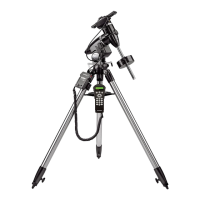
The Orion SkyView Pro GoTo System is designed to automate the pointing and tracking of a telescope mounted on a SkyView Pro equatorial mount. Once installed and aligned, the system allows users to automatically slew to thousands of celestial objects using a hand controller. This significantly simplifies the process of finding and observing planets, the Moon, galaxies, nebulae, stars, and star clusters, making astronomical observation more accessible and enjoyable, especially for inexperienced astronomers. The system uses dual-axis GoTo motors to control the right ascension (R.A.) and declination (Dec.) axes of the mount.
Important Technical Specifications
The GoTo system includes several key technical specifications:
- Motor Drives: Dual-axis, GoTo computerized stepper motors with microstep driving.
- Operation: Suitable for both Northern and Southern hemispheres.
- Autoguiding Rates: Supports 1.25X, 1.5X, 1.75X, and 2X sidereal rates, which are crucial for long-exposure astrophotography.
- Power Requirement: Operates on 12V DC, 2A (tip positive). A portable rechargeable battery, such as the Orion Dynamo or Dynamo Pro, is recommended.
- Slew Speeds: Offers 10 different slew speeds, ranging from Rate 0 (1.5X sidereal rate) to Rate 9 (800X sidereal rate, approximately 3.4°/sec).
- Tracking Rates: Includes Sidereal (default), Lunar, Solar, and PEC + Sidereal tracking modes.
- Alignment Methods: Supports One-star, Two-star, and Three-star alignment procedures, with three-star alignment generally providing the most accurate pointing.
- Database: Features a vast database of over 13,400 objects, including 25 user-defined objects, complete Messier (M), New General Catalog (NGC), and Index Catalog (IC) catalogs, Named Stars, Solar System objects (planets and Moon), Double Stars, and Variable Stars.
- Pointing Accuracy: Achieves up to 1 arcminute with cone error calibration and up to 15 arcminutes without cone error calibration.
Usage Features
The GoTo hand controller is the primary interface for operating the system and offers a wide range of features:
- Mode Buttons (ESC, ENTER, SETUP): Used for navigation, selection, confirmation, and accessing the Setup Menu.
- Directional Buttons: Provide complete motion control of the mount for initial alignment, centering objects in the eyepiece, and manual guiding. They can also move the text cursor for data entry.
- Scroll Buttons: Allow scrolling up and down within menus and selections.
- Dual Purpose Buttons (TOUR, RATE, UTILITY, NGC, IC, M, PLANET, OBJECT, USER, ID): Serve as quick reference keys and for data entry.
- TOUR: Initiates a preset tour of visible deep-sky objects.
- RATE: Adjusts motor speed for directional buttons (0-9).
- UTILITY: Provides quick access to Utility Functions (Show Position, Display Time, Park Scope, Inquire Version, PEC Training, LCD/LED Tuning).
- NGC, IC, M, PLANET, OBJECT: Direct access to specific celestial catalogs and databases.
- USER: Accesses the user-defined database for saving and recalling up to 25 custom objects.
- ID: Identifies the object the mount is currently pointing to.
- Initial Setup: Guides the user through entering observing site coordinates (longitude and latitude), time zone, date, and current local time. It also includes a warning message for safe solar viewing.
- Alignment Procedures: Offers One-star, Two-star, and Three-star alignment options to accurately model the sky. Tips for choosing alignment stars are provided to optimize pointing accuracy.
- Pointing Accuracy Enhancement (PAE): A function to improve pointing accuracy in specific regions of the sky, especially useful for CCD imaging.
- Object Selection: Objects can be selected via shortcut buttons, the dedicated OBJECT button, or through the Main Menu's "Object Catalog."
- Setup Functions: Allows modification of system variables such as date, time, observing site, Daylight Savings, re-performing alignment, setting backlash compensation, and tracking modes (Sidereal, Lunar, Solar, PEC + Sidereal, Stop Tracking, Auto Guide Speed).
- User Defined Database: Enables saving and recalling custom object coordinates.
- Identifying Unknown Objects: The ID button or "Identify" function in the Main Menu helps identify celestial objects the telescope is pointing at.
- Computer Interfacing (RS-232): The hand controller can connect to a computer via a supplied interface cable, allowing control through planetarium software programs compatible with Celestron NexStar 5i/8i or NexStar GPS.
Maintenance Features
- Gear Meshing and Lubrication: The manual emphasizes the importance of correct gear meshing during motor installation and recommends applying a small amount of included grease to the meshed gears for optimal mating and reduced wear.
- Periodic Error Correction (PEC) Training: This advanced feature allows users to manually record guiding actions over an 8-minute period to compensate for periodic errors inherent in worm gears, improving tracking accuracy for long-exposure astrophotography.
- Firmware Updates: The hand controller's firmware can be updated via the internet using a computer interface cable and a dedicated Firmware Loader program. This ensures the system stays up-to-date with the latest features and bug fixes. Instructions for preparing the computer and performing the update are provided, including troubleshooting tips for connection issues and data transfer rates.
- Cone Error Calibration: A detailed calibration procedure is outlined to mechanically minimize "cone" error, a common inaccuracy in German equatorial mounts where the optical axis of the telescope is not perfectly aligned with the R.A. axis. This involves using an illuminated reticle eyepiece and making precise adjustments to the telescope's optical axis offset screws.
- Backlash Compensation: The "Set Backlash" function in the Setup menu allows users to input values for R.A. and Dec. axes to compensate for slack between gears, which improves pointing accuracy, especially when the slewing direction is reversed.
- "Park Scope" Function: Before powering off the mount, using the "Park Scope" function moves the telescope to its "home" position, saving alignment and PEC training data. This prevents loss of synchronization between the hand controller and the R.A. worm gear, avoiding the need to re-perform PEC training.

 Need help?


 To Next Page
 General