ID: 1614 / ver. 210
3 Description of back panel
The earphones, bone conductor and patient answer button cables are mounted with jack plugs which are hooked up
to the appropriate sockets on the back side of the device. The power adapter is inserted into the POWER socket at
the back of the audiometer and plugged into an electrical outlet.
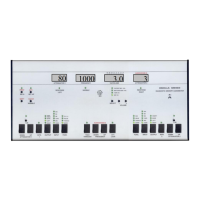
When the device is turned on, the version number is shown shortly, and the FREQUENCY display shows 1000 Hz. If
the devices’ memory function is enabled in SETUP, the attenuator displays will show the last used sound levels, or, if
memory is disabled, the attenuators will show 20.
Insert earphone - Mono insert phone
Bone conductor - Bone conductor
Free Field - Free field loudspeaker
Operator headphones - Operator headphone
Line-in - Tape or CD input
Talkback Back microphone - Patient microphone
Patient responder - Patient answer buttons
RS-232 - Connection for PC
Printer - Connection for printer
- Device on/off
Power supply - Power connector


 To Next Page