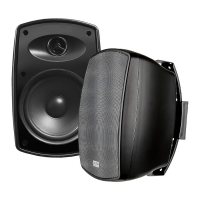
FORZA-4 INSTALL GUIDE FORZA-4 INSTALL GUIDE
70V Application Specifications
Troubleshooting
Problem Possible Cause Fix
4” PP Cone
0.75” Silk Dome
40 W RMS and 80W Max
110Hz - 20kHz
8
IP 66
5.4” x 7.5”
83
8 ohm-0-20W-10W-5W-2.5W
Woofer
Tweeter
RMS Power
Frequency Response (-3dB)
Nominal Imedance
IP Level
Product Dimensions
Sensitivity
Transformer
There is no sound Power Off
Equipment setting is wrong
Assure power is applied to all
equipment in system. Check that
routing in/output controls are set
correctly.
Low sound level Setting/Volume is set too low.
Connection is shorted or bad.
Check volume controls or am-
plifiers are equalizers. Check
that connections aren’t partially
shortened.
Sound cuts in and out System overload/oscillation
intermittent connection
Check for overload condition or
bad connection
Distortion at increased level Amplifier/speaker over driven Check that power to speaker isnt
over limits, amplifier isnt over
driven. Reduce power to amplifier
slightly.
Speaker makes “buzzing” noise Hardware loose or speaker
damaged
Make sure speaker is tight. Check
speakers for loose parts or speak-
er damage.


 To Next Page