PLACEMENT
INSTALLATION
INSTALLATION
WARNING: To reduce the risk of re or electric shock, do not expose this amplier to rain or moisture. The amplier shall
not be exposed to dripping or splashing and that objects lled with liquids, such as vases, shall not be placed on or near
the amplier
Congratulations on your purchase of an OSD Audio Amplier. Please take a few moments to read the entire manual and
be sure to retain this document for future reference. Please read and observe all safety instructions.
DO:
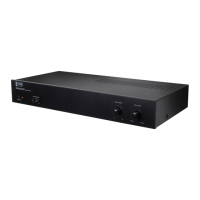
• Place the amplier with feet resting rmly on a solid at level surface.
• Place the amplier in a well vented area to provide proper cooling. In areas that lack proper ventilation, such as tight
cabinets or racks, it may be necessary to install an equipment fan to create air ow.
DON’T:
• Do not block ventilation holes on the top or bottom of the amplier. Never place on carpeting or other similar material.
• Do not place amplier in any position other than horizontal with the feet down. Never place on the side or resting on the
back where the terminals are located.
• Do not place the amplier near heat sources or in an area that could be exposed to moisture or excessive humidity.
YOU SHOULD KNOW
• The power supply in this unit may cause a hum that can be heard in other components if they are placed too closely to
the amplier.
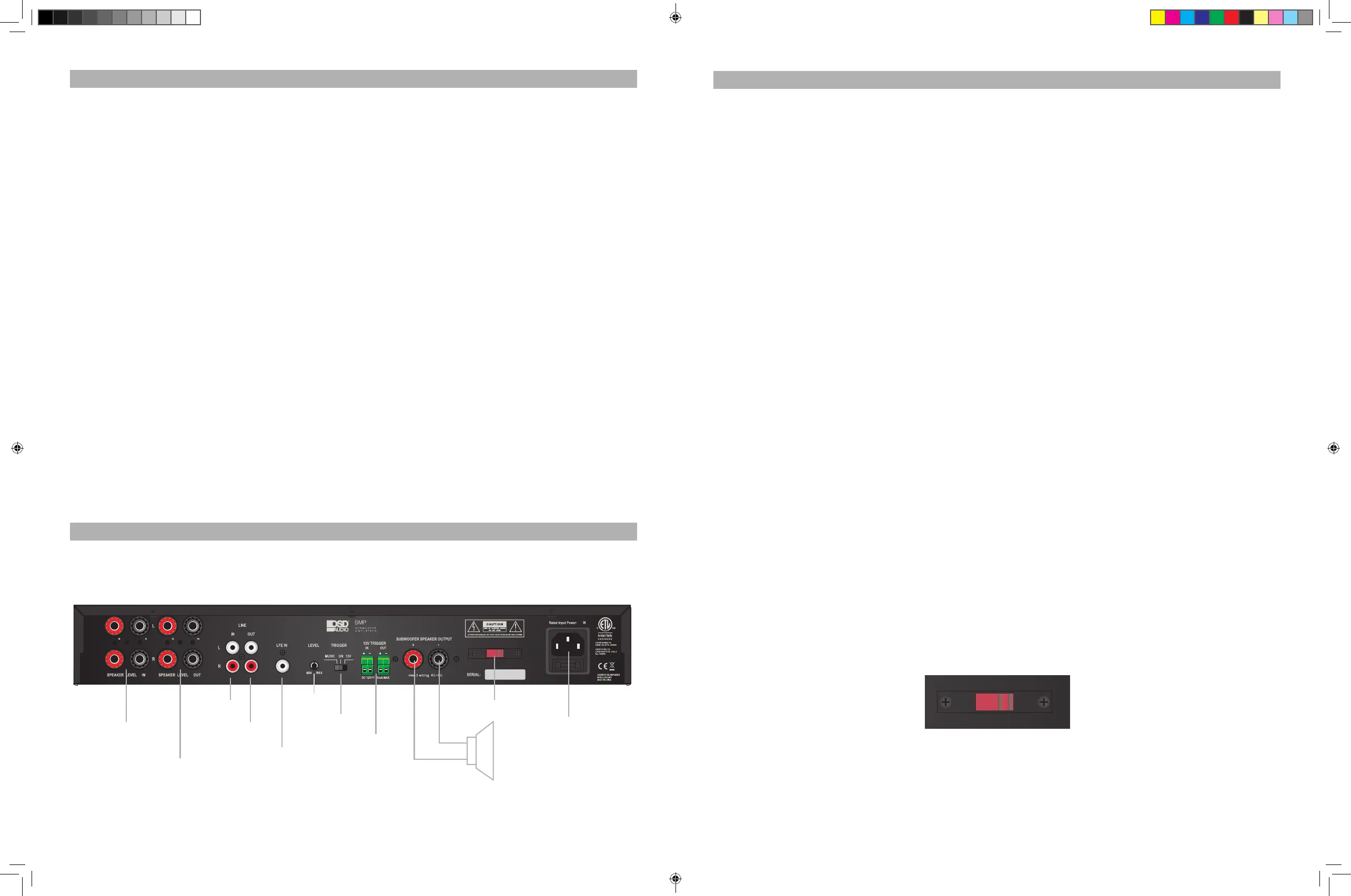
Please use Diagram 1. to familiarize yourself the ampliers rear panel.
1. Connecting the Subwoofer to the Amplier
CAUTION: Only make connections when the amplier power is off.
There are two output terminals on the back of the amplier, one positive and one negative. (Diagram 1). 3 way binding
post output terminals allow for a variety of ways to connect a subwoofer to the amplier, including stripped wire, spade
connectors, etc. Subwoofer must be connected with a minimum of 14-gauge speaker wire. Be sure all connections are
secure.
2. Connecting the Audio Inputs
CAUTION: To avoid possible damage to the Amplier or Subwoofer, only make connections when the amplier is turned
off.
LFE (Low Frequency Effects) Input - If your preamplier or receiver has a Sub output or LFE output you can connect it
to the LFE input. Be aware that using the LFE input bypasses the SMP300’s low frequency (low pass) crossover.
Line Level Inputs (Left & Right) - The line outputs from a preamplier or receiver can be connected to the line level
inputs of the SMP300 amplier with RCA cables. If the line level signal is also required by other equipment, you can
connect the line level outs to another device. (See the Line Level Outputs section below.)
Speaker Level Inputs (Left & Right) - These inputs can be used if your receiver does not have a subwoofer output or a
set of amplier line level output jacks. Be sure to observe proper polarity, connect the left and right pair of main speaker
output wires from your amplier or receiver to the speaker level input terminals of the SMP300 amplier. Then connect a
left and right pair of speaker wires from the SMP300 ampliers speaker level output to your main speaker terminals. (See
Speaker Level Output Section below)
3. Connecting the Audio Outputs (optional)
Line Level Outputs (Left & Right) - Sources connected to the line level inputs can be forwarded to other receivers or
ampliers line level inputs. By doing this you can pass-on the audio signal for use by another component. Connect RCA
cables to the line level output sections of the SMP300 and the line level inputs of a receiver or amplier.
Speaker Level Outputs (Left & Right) - Connect a left and right pair of speaker wires from the SMP300 speaker output
terminals to your main speakers. The main speakers will still be powered by your systems receiver or amplier.
4. Dual Voltage Switch
(See Diagram 2) For use in the U.S., The SMP300 comes preset from the factory at 115V. For use in other countries,
the voltage switch may need to be changed to 230V. (Please note that a plug adapter or alternate power cord may be
required.)
2014- 05- 29
以下是 編碼原則
代表公司
MAG0700001
35.00 mm
10.00 mm
尺寸为35* 10m m
代表年
0 0 0 0 1代表 第1台
0 0 0 0 2代表 第2台
0 0 0 0 3代表 第3台
0 0 0 0 4代表 第4台
以此 类推
D代表2003年
E代表2004年
F代表2006年
G
代表2007年
以此 类推
0 1代 表1月份
0 2代 表2月份
0 3代 表3月份
0 4代 表4月份
0 5代 表5月份
0 6代 表6月份
以此 类推
代表月
代表生产序号
35Hz
95Hz
125Hz
180Hz
POWER
POWER
PHASE LOW PASS FILTER VOLUME
SIGNAL
MIN
180°0°
MAX
65Hz 155Hz
R
SPEAKER LEVEL IN SPEAKER LEVEL OUT
R
M
A
TRIGGER
ON
12V
MUSIC
OUT
12V TRIGGER
DC 12V 50mA MAX
SUBWOOFER SPEAKER OUTPUT
Rated Input Power: 250W
SERIAL:
iw g
230V
115V
Fuse: T2AL, 250Vac for 120V~, 60Hz;
Fuse: T1.5AL, 250Vac for 230V~, 50Hz.
SUBWOOFER AMPLIFIER
MODEL NO:SMP250
MADE IN CHINA
i nr
IN
N
M X
I
SMP
SUBWOOFER
AMPLIFIER
300
SMP
SUBWOOFER
AMPLIFIER
300
2014- 05- 29
以下是 編碼原 則
代表公司
MAG0700001
35.00 mm
10 .0 0 mm
尺寸为35* 10m m
代表年
0 0 0 0 1代 表 第1台
0 0 0 0 2代 表 第2台
0 0 0 0 3代 表 第3台
0 0 0 0 4代 表 第4台
以此 类 推
D代表200 3年
E代表200 4年
F代表200 6年
G
代表200 7年
以此 类 推
0 1代 表1月 份
0 2代 表2月 份
0 3代 表3月 份
0 4代 表4月 份
0 5代 表5月 份
0 6代 表6月 份
以此 类 推
代表月
代表生产 序 号
35Hz
95Hz
125Hz
180Hz
POWER
POWER
PHASE LOW PASS FILTER VOLUME
SIGNAL
MIN
180°0°
MAX
65Hz 155Hz
SMP
SUBWOOFER
AMPLIFIER
300
Diagram 2
Voltage Switch
Diagram 1
Amplier Rear Panel
Speaker Input
Terminals
Speaker Output
Terminals
Line Input
Line Output
LFE Input
Trigger Switch
Level Control
12V Trigger
Voltage Switch
-
+
IEC Power
Connector
smp300 amp manual.indd 4-5 6/11/18 9:09 AM
Fuse: T4AL, 250Vac for 115V~, 60Hz;
Fuse: T2AL, 250Vac for 230V~, 50Hz.
230 V
115V
300
300
300


 To Next Page
 Loading...