10
Preparation before use
Installation of filter cartridge
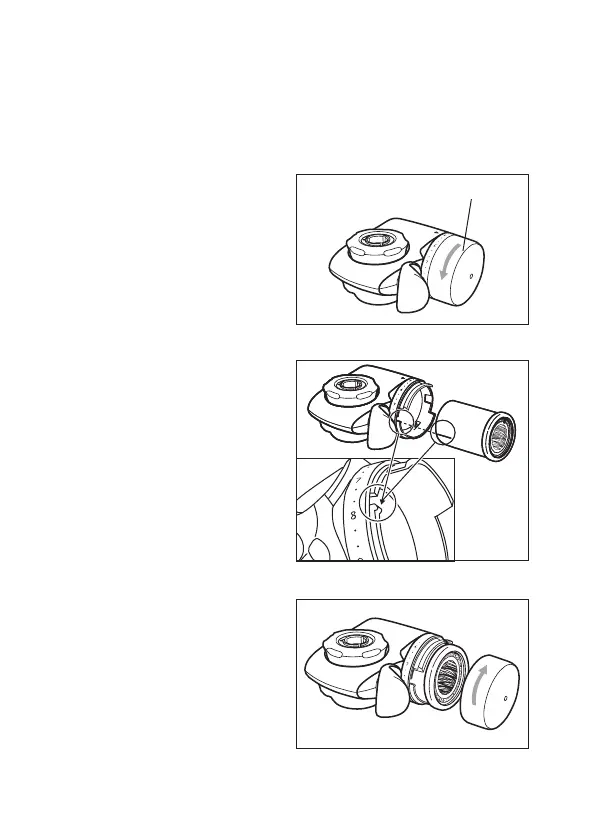
• Turn the cartridge cover in
an anti-clockwise direction
to remove it.
• Insert the cartridge by
aligning the line on the
cartridge with the groove
on the main unit.
• Turn the cartridge cover
in a clockwise direction to
tighten it.
Cartridge Cover
1.
2.
3.



 To Next Page