22
Troubleshooting
If you encounter problems with the operation of the uPure 2, please
check the following points to see if they can be rectified. If the uPure 2
still malfunctions or does not work, please contact OSIM Service Centre*.
Do not dismantle or attempt to repair the uPure 2 yourself. Doing
so will void the warranty and OSIM will not bear any responsibility
for any subsequent consequences.
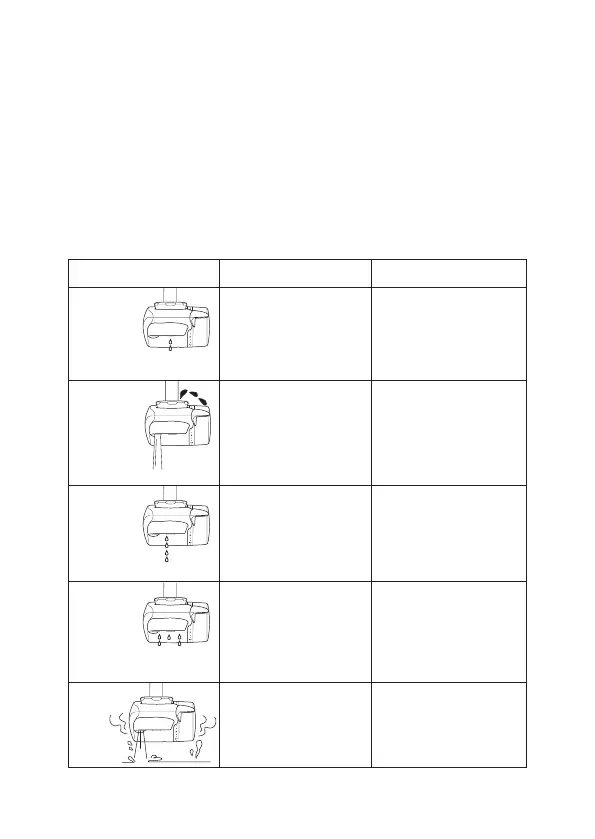
The volume
of purified
water
decreases.
Conditions Possible Causes Solutions
• The hollow filament filter
is clogged.
• Replace the cartridge.
Water drips
from the
attachment
mouth.
• The installation is not
properly done.
• The spout is cracked.
• The adaptor’s thread is
worn out.
• Repeat installing process.
• Replace the attachment
if necessary. Use sealing
tape to stop the drip or
change the adaptor.
Purified
water drips
from the
bottom of
the body.
• Installation of cartridge is
not properly done.
• Rubber packing is not in
place on the cartridge.
• Check the cartridge.
• Check on attachment
packing.
The tap
water
shower is
too little
and uneven.
• The mesh filter under
the attachment packing
of the inlet is stained or
clogged.
• Shower outlet is dirty.
• Wash the attachment
mesh filter with water or
clean the shower outlet
using a toothbrush.
There
is an
odour.
• The cartridge has not
been replaced for a long
time.
• Replace the cartridge.
* Please visit us at www.OSIM.com for information on the nearest service centre.
Product warranty is valid only in the country of purchase.



 To Next Page