8Osmo Setup Guide for Fire Tablets
Send games from your parent proile to Freetime
(child proile)
STEP 10
To access settings, ind and tap on the
Settings menu (gear icon).
In the settings menu, go to Proiles & Family Library > Your Child’s Proile
> Add Content.
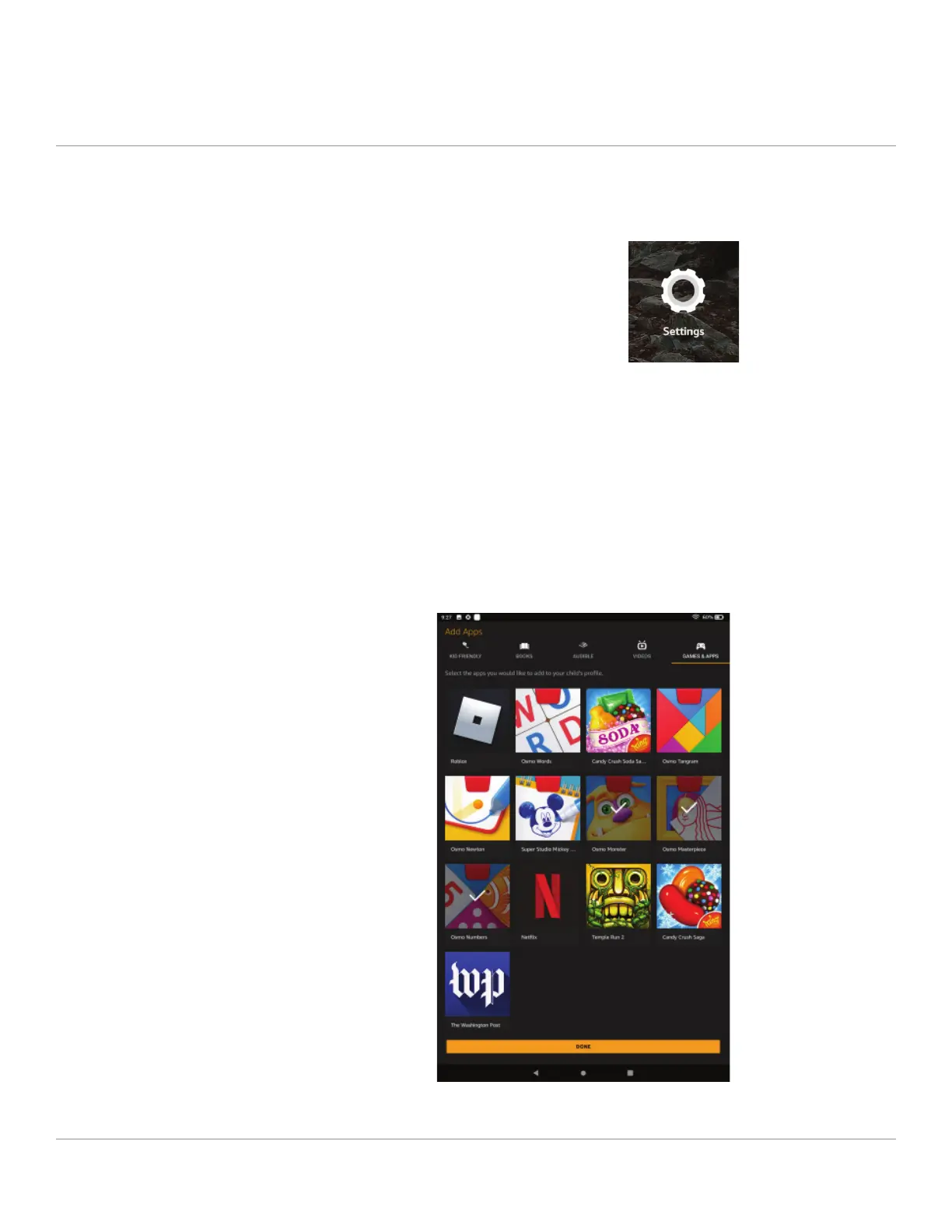
Next, select the Games & Apps tab, and then select the games you’ve
downloaded. Press the Done button when you are inished.


 To Next Page