6Osmo Setup Guide for Fire Tablets
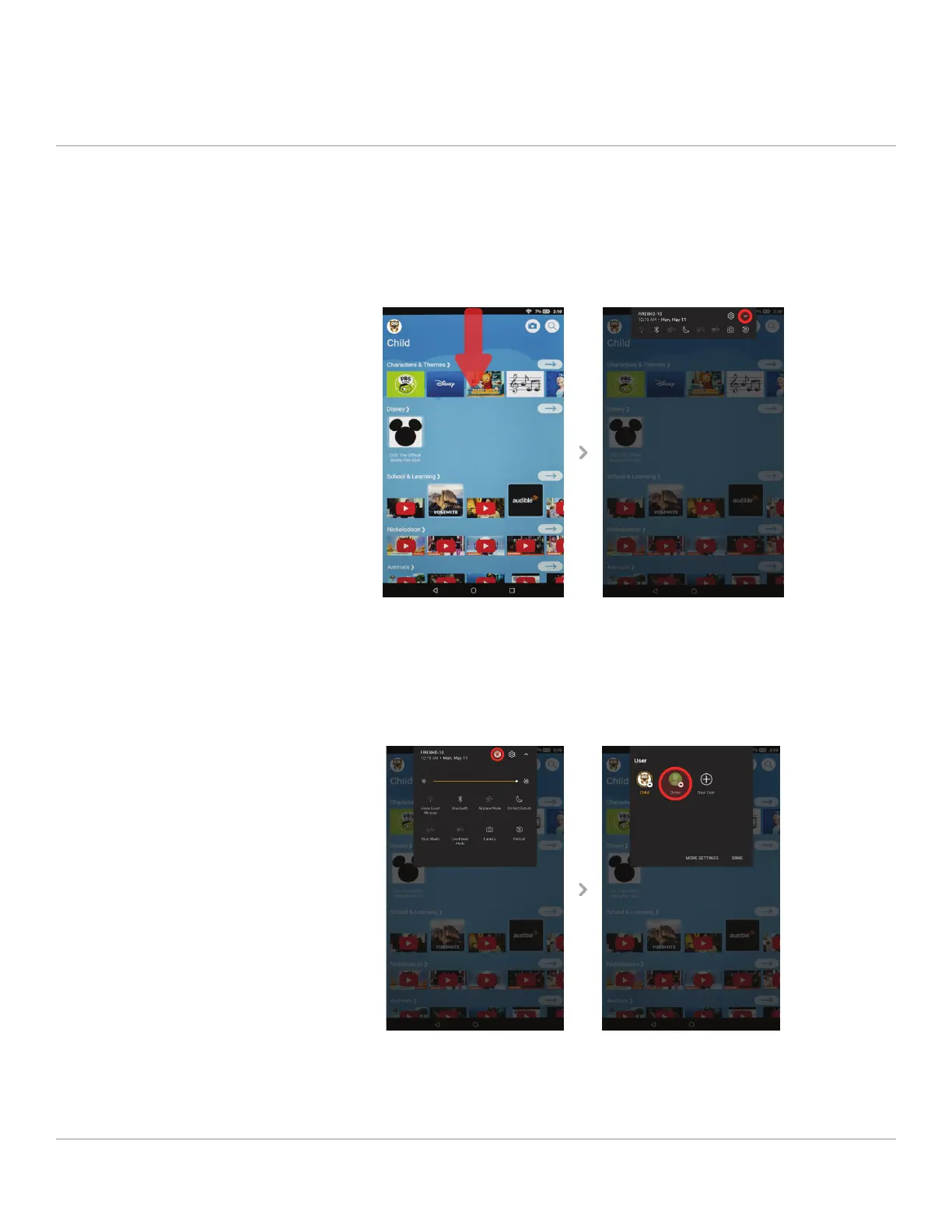
Switch from Freetime (child proile) to a parent proileSTEP 8
To switch proiles, start by swiping down from the top of the screen to
reveal the top menu. Then swipe down/tap on the small arrow icon on the
top right to expand the menu.
Click on the proile icon on the top of the menu, and then select your par-
ent proile (if your proile is password protected, you will need to enter it
after selecting the proile).



 To Next Page