5Osmo Setup Guide for Fire Tablets
If you received a redemption code, you can redeem it on
playosmo.com/redeem
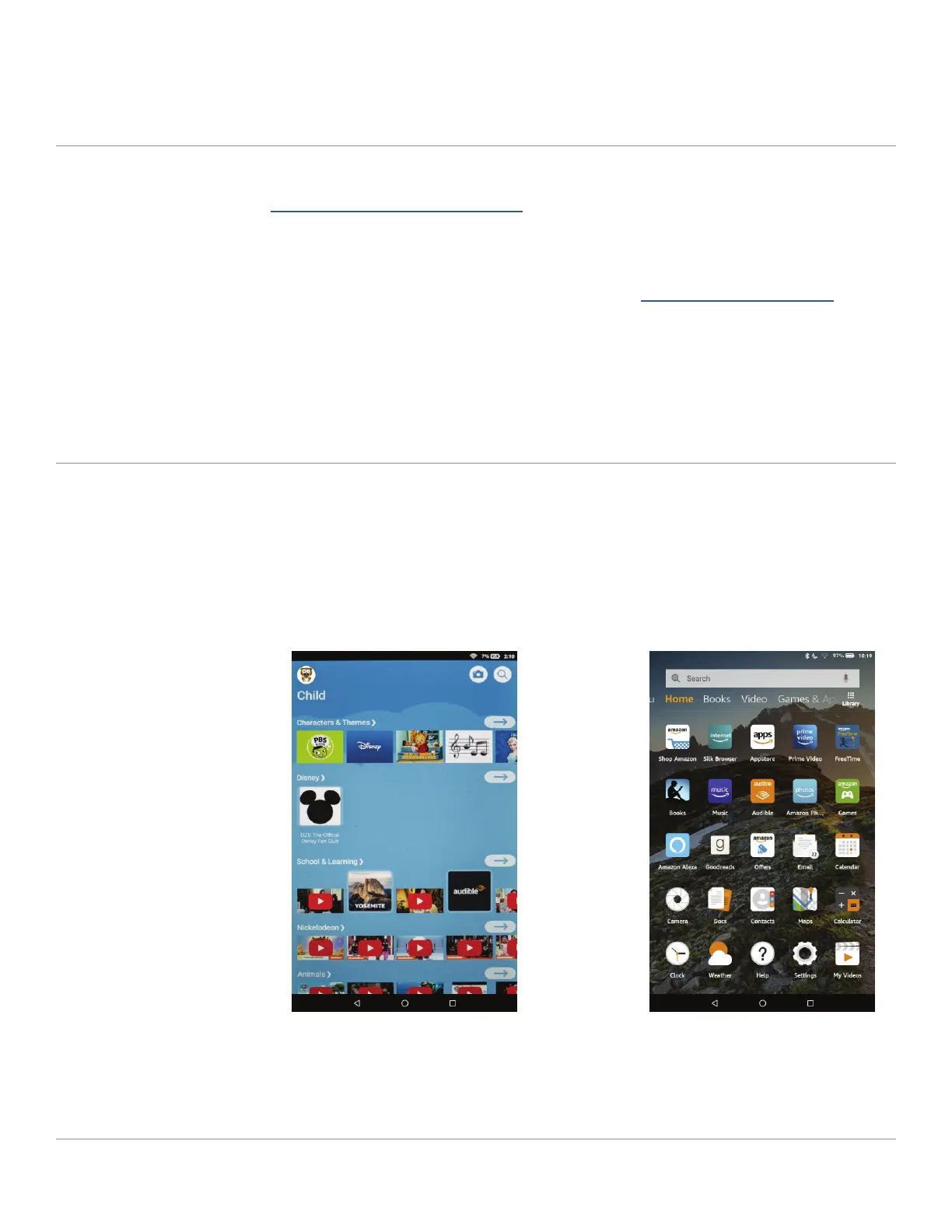
Check your current proile on your Fire Tablet
STEP 6
STEP 7
1. On your computer or smartphone, go to playosmo.com/redeem
and enter your code.
2. Enter your email to login or create a new account.
3. Follow the instructions provided to complete your setup.
To download your games, you must be on a parent proile—games cannot
be downloaded on Amazon Freetime (child proile).
Freetime (Child Proile) Parent Proile
(If you do not have a code to redeem, go to step 7)
If you are on Freetime (child
proile) continue to step 8.
If you are on a parent proile,
continue to step 9.


 To Next Page