9Osmo Setup Guide for Fire Tablets
STEP 11 Switch to Freetime (kid proile) to install and play your
games!
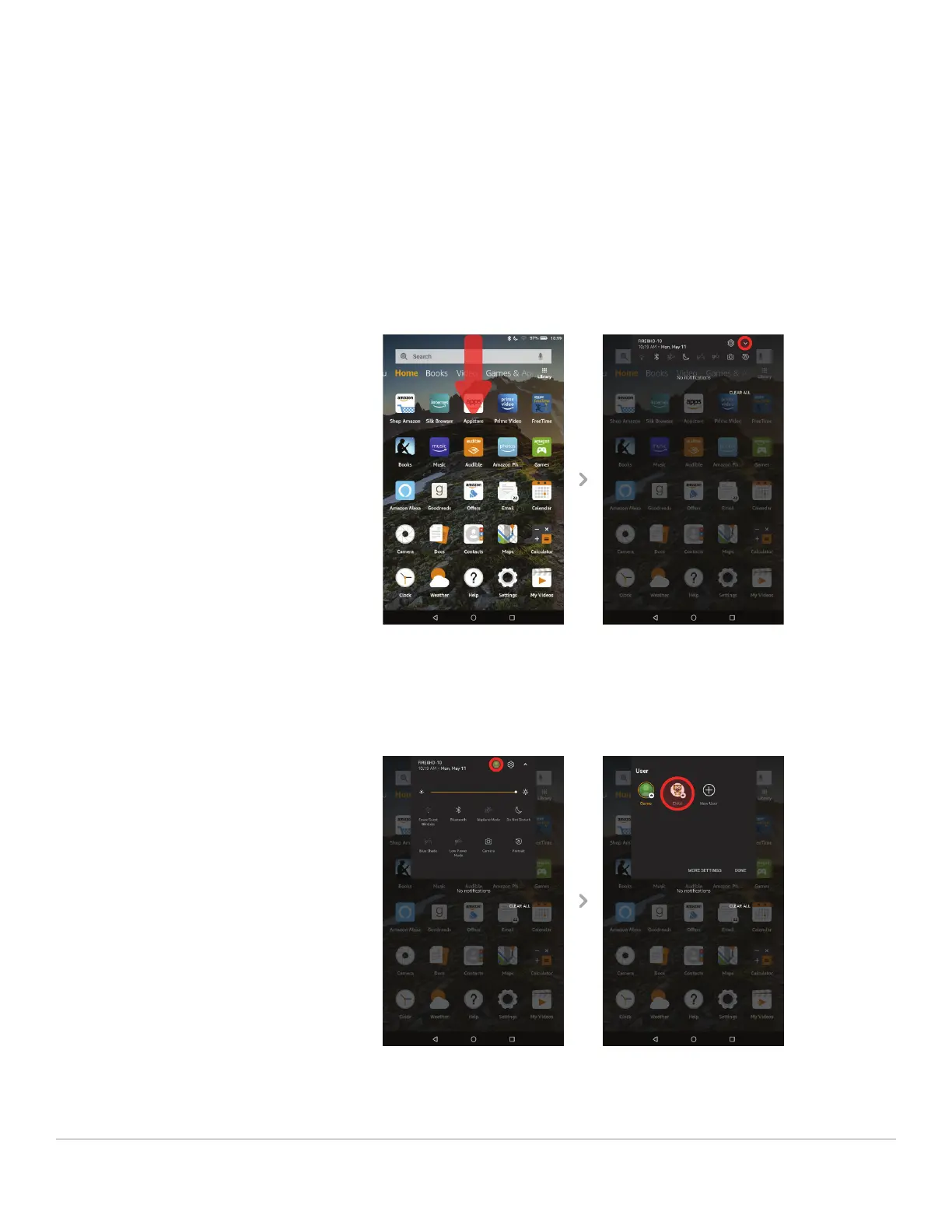
To change proiles, start by swiping down from the top of the screen to
reveal the top menu. Then swipe down / tap on the small arrow to expand
the menu.
Select the proile icon on the top right to view all proiles. Tap on your
child’s proile icon to change to that proile.


 To Next Page