Osmo Setup Guide for Fire Tablets
Table of Contents
1. Make sure you have a compatible Fire Tablet
2. Make sure you have an Osmo Base for Fire
3. Make sure you have an Amazon app store account created
4. Make sure you have an Internet connection
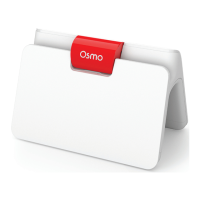
5. Place your device on the Osmo base and center the relector
over the camera
6. If you received a redemption code, you can redeem it on
playosmo.com/redeem
7. Check your current proile on your Fire Tablet
8. Switch from Freetime (child proile) to a parent proile
9. Download your games from a parent proile
10. Send games from your parent proile to Freetime
(child proile)
11. Switch to Freetime (kid proile) to install and play your
games!
12. Create a myOsmo account and add a proile for each player
13. Adequate lighting in the room
14. Download the parent app to your phone in order to keep
track of player progress in games
— Additional, related resources
1
2
3
3
4
5
5
6
7
8
9
11
11
11
11
Step / Instruction Page


 To Next Page