EasyManua.ls Logo

OSP ASCEND II A2EB322 - User Manual

OSP ASCEND II A2EB322
8 pages
Print Icon
To Next Page IconTo Next Page
Loading...
LIMITED WARRANTY
Ascend II Bases are warranted from the original purchase date to the original purchaser for normal commercial usage - dened as a standard forty-hour work
week according to the below-listed schedule and limitations.
• 5 year warranty on dual-motor bases
3 year warranty on single-motor bases
Warranty Exclusions
This warranty will not cover labor, freight, or damage from misuse, abuse, negligence, alteration, assembly, installation, attachments, accident, vandalism,
acts of nature or any other event beyond our control. The warranty does not cover cosmetic damage that may result from normal use. Liability for incidental or
consequential damage is excluded. The user assumes all risk of injury resulting from use of this product.
This warranty applies only to products purchased through authorized dealers and products sold within the United States of America and the Commonwealth of
Canada. This warranty does not apply to products used for rental purposes. This warranty gives you specic legal rights, and you may also have other rights which
vary from state to state.
WARNING
1. Do not use this product unless all bolts, screws and knobs
are securely tightened.
2. Check that all bolts, screws and knobs are tight every three
months or as needed.
3. Dispose of packing material properly. Do not use plastic
cover as head covering. It may cause suffocation.
4. Do not use product as a stepladder.
5. Use this product for its intended purpose only.
6. Use mild detergent only for cleaning.
A2EB322 / A2EB222
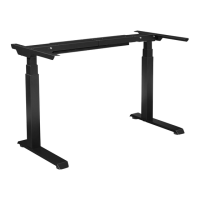
ASCEND II HEIGHT ADJUSTABLE BASE
OPERATING INSTRUCTIONS
IMPORTANT
Base must be reset before operating.
See page 5.
Page 1
© Office Star Products May, 2023
Question and Answer IconNeed help?

Do you have a question about the OSP ASCEND II A2EB322 and is the answer not in the manual?

Summary

Important Safety and Operational Notes

Limited Warranty Information

Assembly Step 1: Initial Dry Fit

Assembly Step 2: Fasten Columns Loosely

Assembly Step 3: Connect Cables

Assembly Step 4: Secure to Worksurface

Assembly Step 5: Secure Feet and Power

Control Box Initialization and Reset

Height Adjustment Features

Initialization and Reset Procedure

Resets the control box by holding up/down buttons until columns descend and beep.

Manual Height Adjustment

Operates columns by holding up/down buttons to desired height.

Memory Setting for Heights

Saves up to three preferred heights using the 'S' and number buttons.

Advanced Height Control Settings

Setting Maximum Height Limit

Defines the upper limit for desk height adjustment.

Setting Minimum Height Limit

Defines the lower limit for desk height adjustment.

Removing Height Limits

Disables previously set maximum and minimum height limits.

Locking and Unlocking the Handset

Secures the handset to prevent unintended adjustments.

Switching Height Units

Changes the display unit between centimeters and inches.

Anti-Collision Sensitivity Adjustment

Adjusts sensitivity to prevent collisions during movement.

Operating Modes and Display Adjustments

One-Touch and Constant Touch Operation

Explains single touch vs. continuous touch for memory recall.

Adjusting Height Figure on LED Display

Method to calibrate the displayed height value.

Understanding Error Codes

Provides troubleshooting information for system error codes.

OSP ASCEND II A2EB322 Specifications

General IconGeneral
BrandOSP
ModelASCEND II A2EB322
CategoryIndoor Furnishing
LanguageEnglish