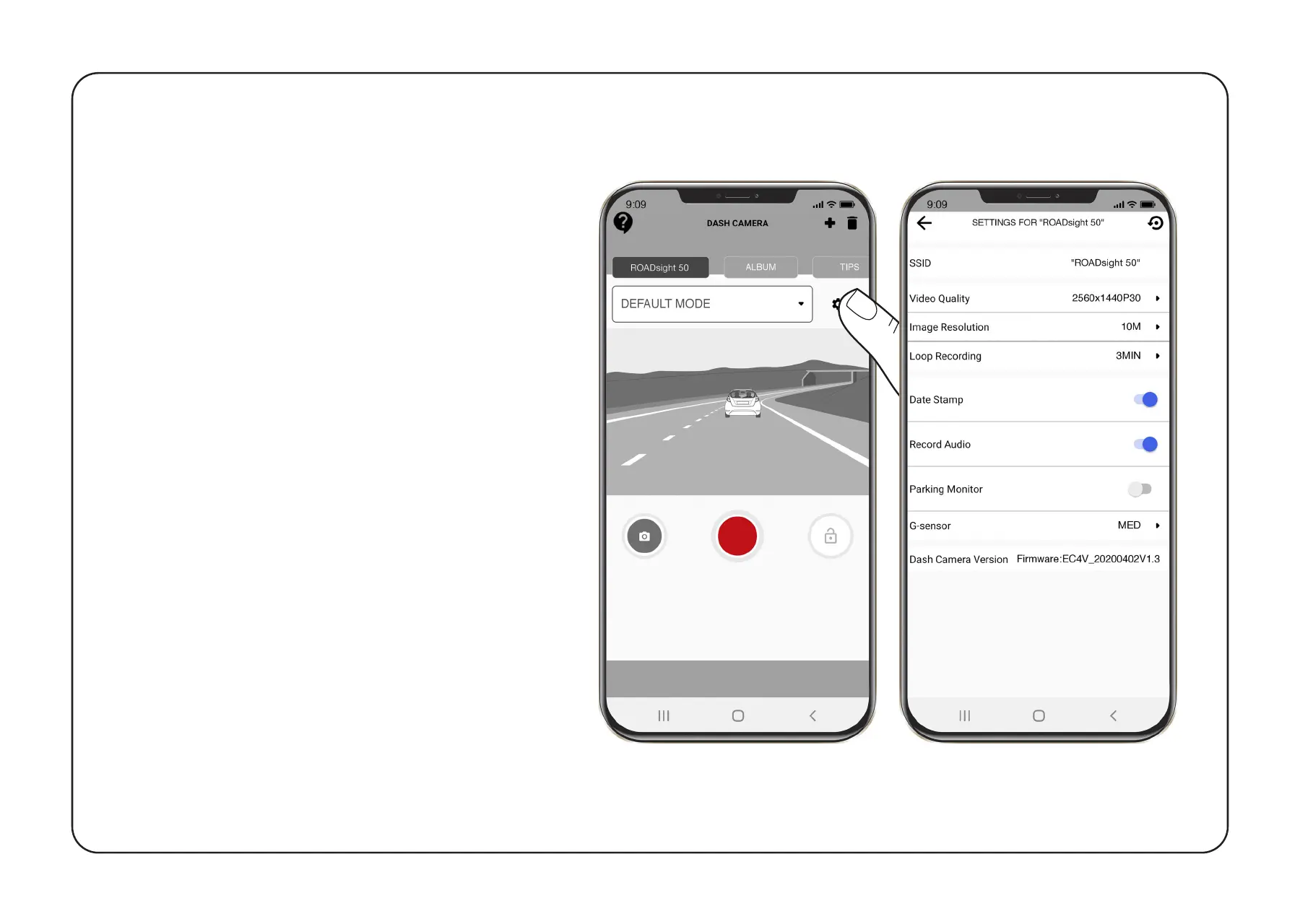
To access the Menu settings,
press the “Settings” button on
the main menu.
Video Quality: Select required option
(the highest option provides the
optimum viewing performance).
Image Resolution: 1-12 Megapixels
Loop Recording: 1, 3, or 5 minutes
Date Stamp: OFF / ON
Record Audio: OFF / ON
Parking Monitor: OFF / ON
G-sensor: OFF / LOW / MEDIUM / HIGH
MENU SETTINGS


 To Next Page