Home
Osram
Dash Cameras
ROADsight 50
Page 16 (IMAGE MENU)
Osram ROADsight 50 - IMAGE MENU
52 pages
Manual
Save Page as PDF
To Next Page
To Next Page
To Previous Page
To Previous Page
Loading...
1
Shor
t
-p
r
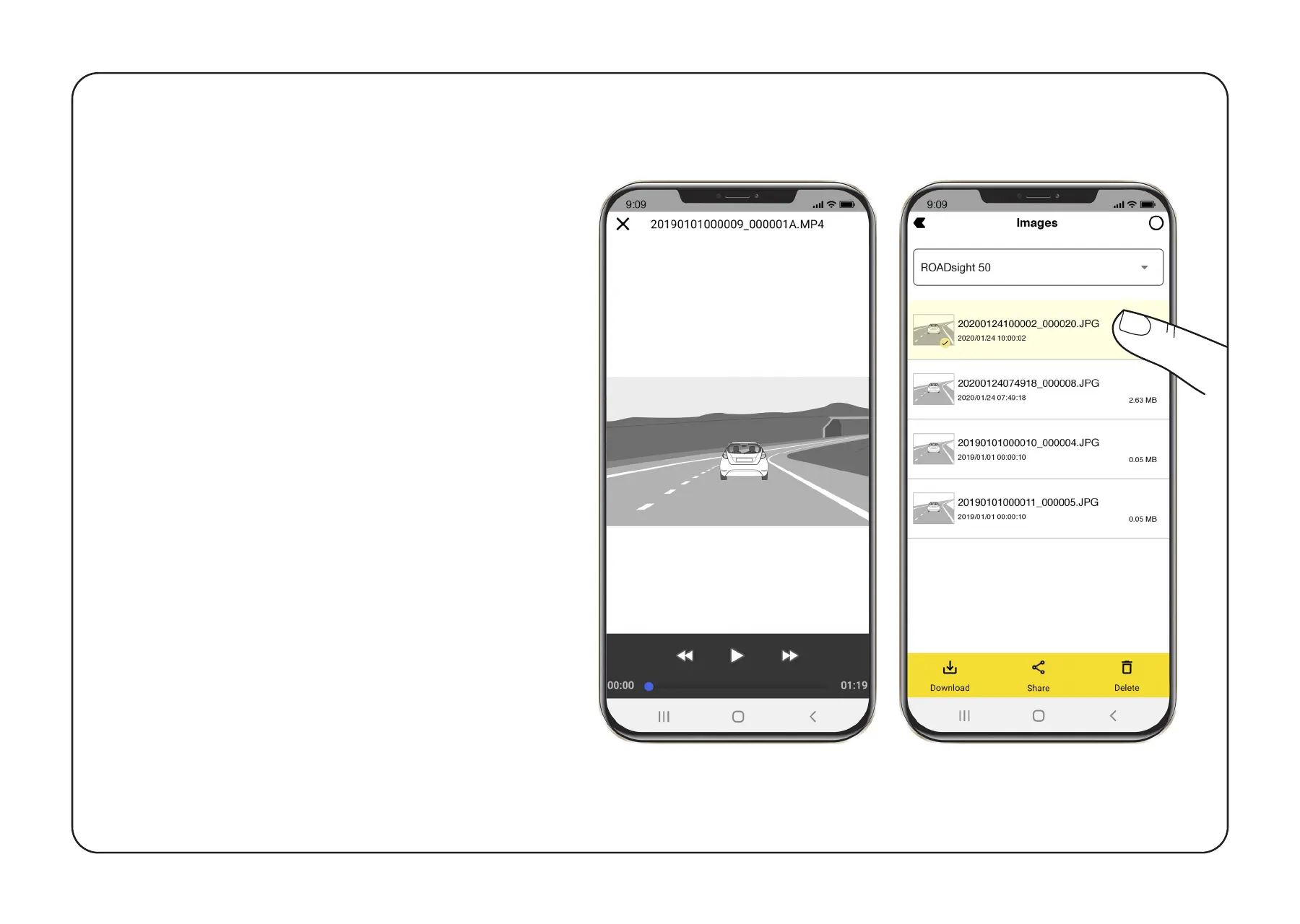
ess each ima
ge fi
le once
t
o get i
n
t
o th
e pla
yback men
u
.
2
Pr
ess and hold eac
h ima
ge file
f
or 3 secon
ds t
o access the
video
’
s sub-m
enu
. F
r
om t
here
,
lock
, down
loa
d
, shar
e
, or delet
e
the select
ed
image
.
IMAGE MENU
15
17
Table of Contents
Main Page
Before You Begin
3
Package Contents
4
INSTALLING Microsd CARD
7
Turning On/Off
8
Adjusting Viewing Angle
10
Recording Modes
11
Menu Settings
12
Emergency Recording
13
Video Menu
15
Image Menu
16
Customer Service Help
20
Blurred Image
21
Updating Firmware
23
Power Requirements
25
Operating Temperatures
25
A Csomag Tartalma
30
Felvételi Módok
37
Firmware Frissítése
49
Related product manuals
Osram ROADsight 30
54 pages
Osram ROADsight 20
46 pages


 To Next Page