UPDATING FIRMWARE
1
Download the firmware file at Dashcam
Support | OSRAM Automotive and extract
the file from the archive onto computer
and Unzip.
2
Ensure your MicroSD card has been
formatted.
3
Copy Firmware file (.bin) onto your MicroSD
card.
4
Insert the MicroSD card with the downloaded
file into the dashcam memory card slot.
5
Connect dashcam to a power source and
turn it on.
6
The indicator lights will flash while the
firmware is being downloaded to the
dashcam.
7
Upon completion of the process, the
dashcam will automatically restart.
8
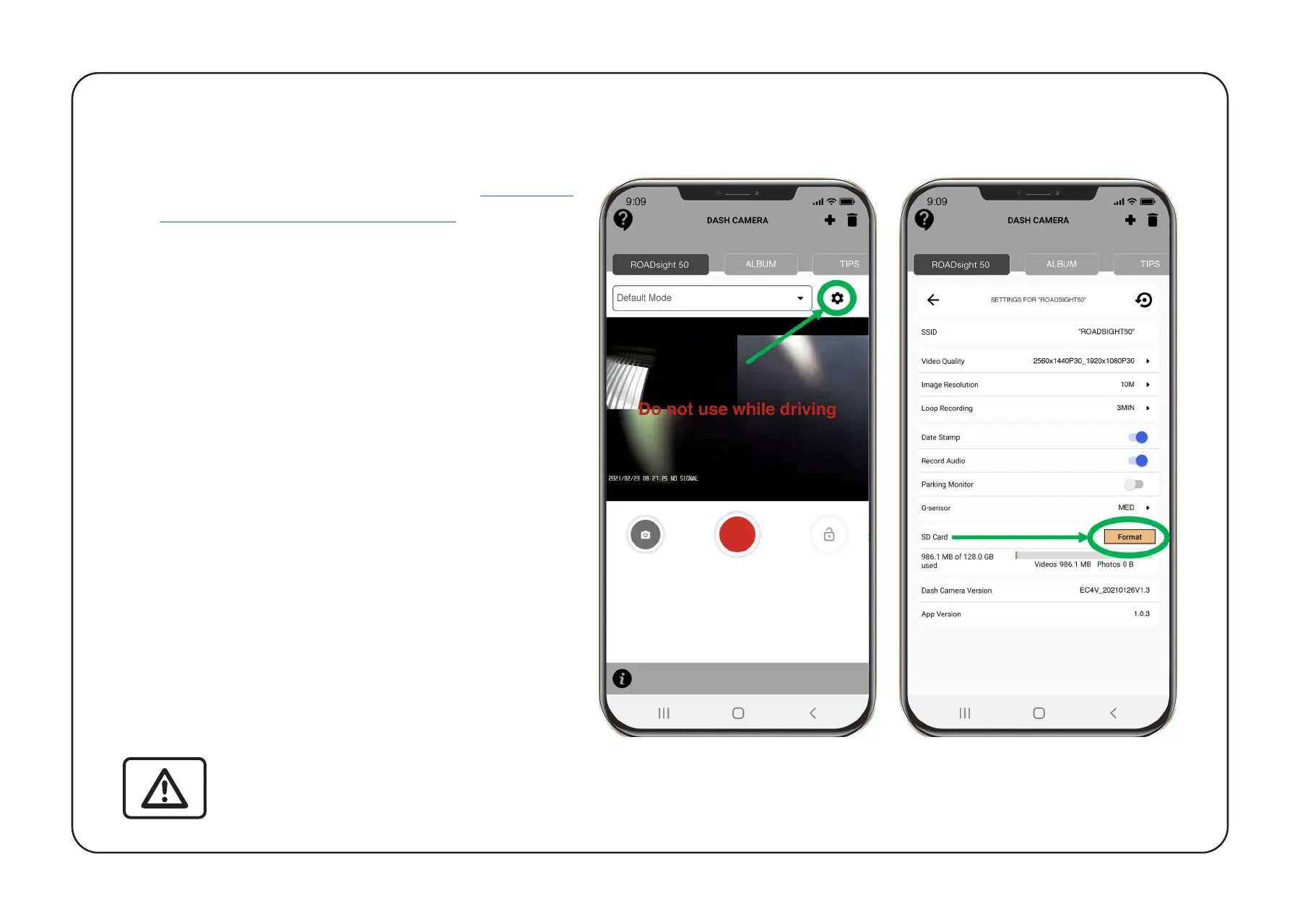
Using Osram Connect APP select the
FORMAT option within the SETTINGS.
ATTENTION! If the memory card is not formatted after the update, the update process will be
started again the next time it is turned on.
ATTENTION! Do not turn off the dashcam power during the firmware update.


 To Next Page