18 User manual
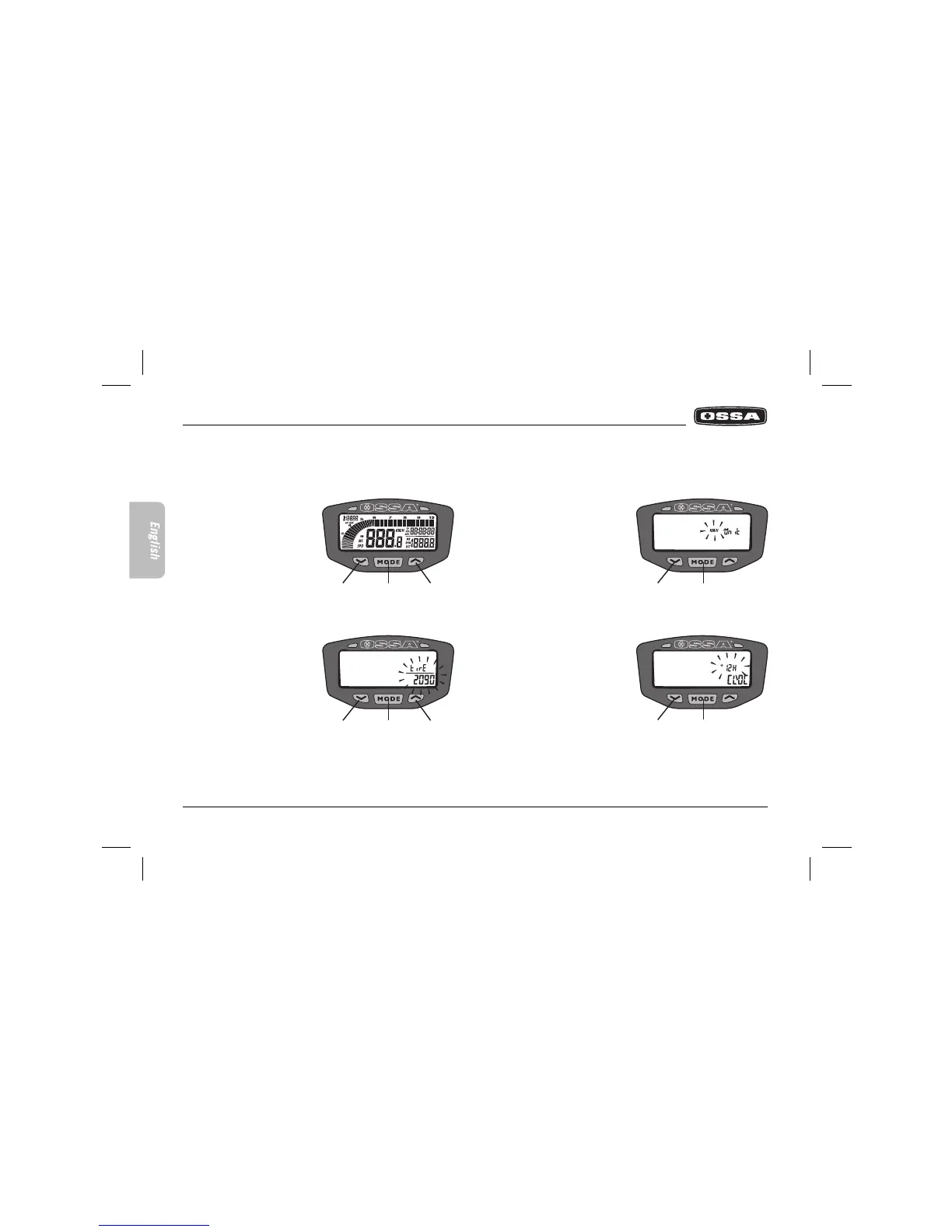
1 2 1 2
1 2
3
1 2 3
Multi-function
Adjustment of the multi-function box settings
After confirming each value, the multi-function box will move straight on to the next screen adjustment until the process is complete. If no
button is pressed, the multi-function box will return to the initial screen after 15 seconds.
Activation of the adjustment mode
To activate the adjustment
mode for the multi-function
box settings, push buttons 1,2
and 3 simultaneously for 3
seconds and then release
them.
Select the wheel circumference
Enter the wheel circumferen-
ce by pushing button 1 repea-
tedly. To move to the next
digit, press button 3. Confirm
the selection by pushing
button 2. Note: If you don’t
know the wheel circumferen-
ce, consult the “Measuring
the wheel circumference”
section.
Select the speed unit
To select the speed unit
between km/h and m/h, press
1. Confirm your selection by
pressing 2.
Select the time format
To select the time format
change between the 12 and
24, press 1. Confirm your
selection by pressing 2.



 To Next Page