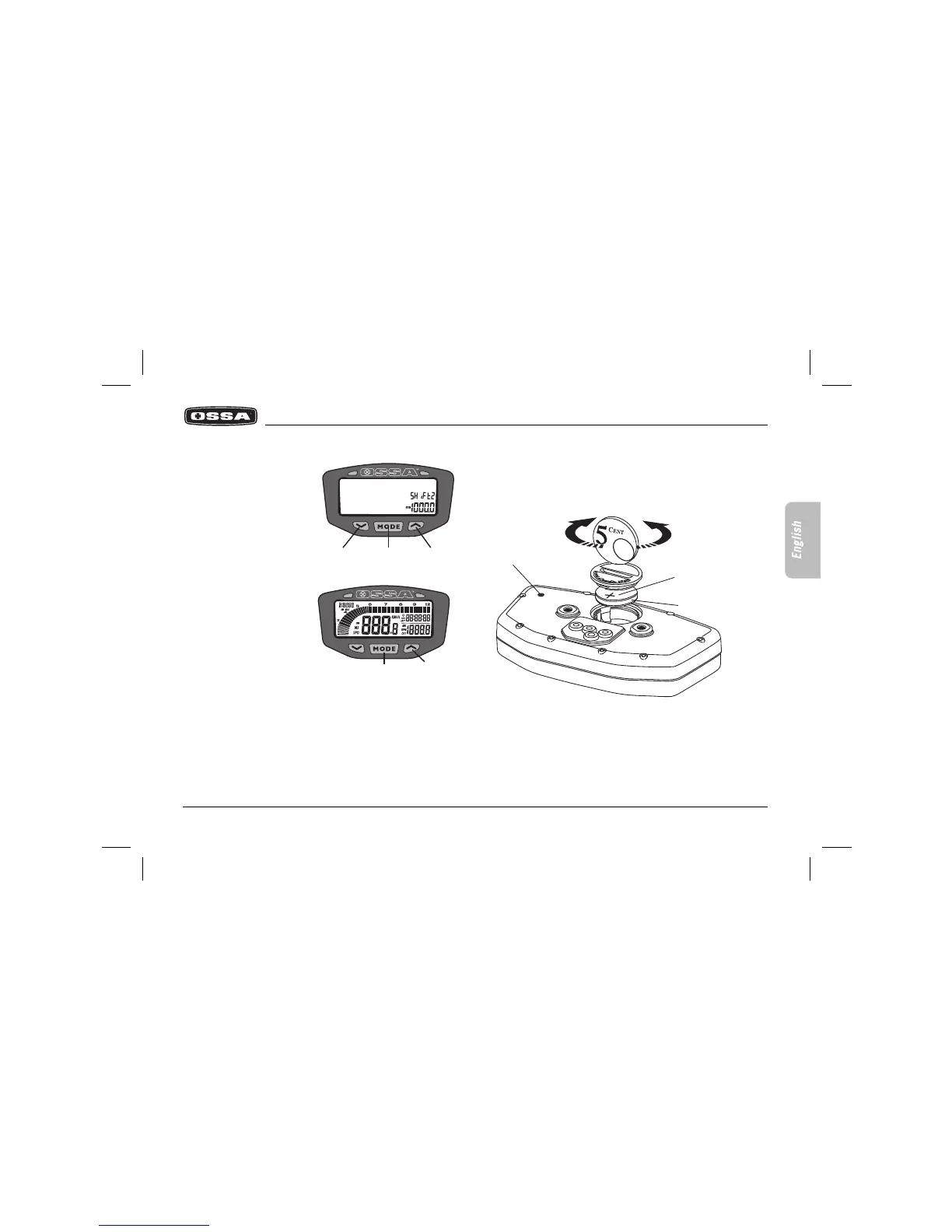
OPEN
CLOSE
RESET
POSITIVE
BATTERY CR2030
Multi-function
Dangerous turn rate selector
When the set rate is near to
being reached, the right-hand
warning light will flash, indica-
ting that the engine is turning
at an excessive rate.
Default value: 10,000 rpm
Enter the value by pressing
button 1 repeatedly. To move
on to the next digit, press
button 3. Confirm the
selection by pressing button
2.
Setting the indicator functions to zero after each use of the vehicle
After each use of the vehicle, it’s possible to set the following
functions to zero, simultaneously:
- Maximum speed
- Distance
- Chronometer
- Maximum temperature
- Maximum turn rate
Confirm that you want to set these functions to zero by simulta-
neously pressing buttons 1 and 2.
Setting the whole multi-function box to zero
Press the RESET button by using a suitable object. The indicator will
boot again, excluding data that corresponds to total accumulated
distance and time.
Internal battery
The multi-function box works with a 3V internal battery, type
CR2032. When the battery tension falls beneath 2.45V, the screen
displays the LO indicator. To change the battery, open the lid on the
bottom of the indicator by unscrewing it as is indicated in the image,
using a coin. Ensure that the positive side of the battery is facing
upwards.



 To Next Page