EasyManua.ls Logo

OSTBERG HERU S Series - User Manual

OSTBERG HERU S Series
136 pages
Print Icon
To Next Page IconTo Next Page
Loading...
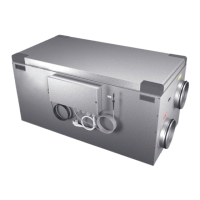
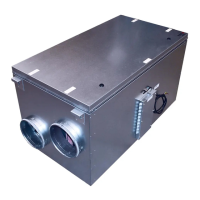
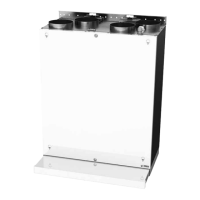
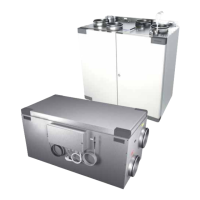
HERU S, HERU T
INSTALLATION | EN
INSTALLATION | SE
INSTALLASJON | NO
Other languages in digital format can be downloaded at www.ostberg.com

Table of Contents

Question and Answer IconNeed help?

Do you have a question about the OSTBERG HERU S Series and is the answer not in the manual?

Summary

1 Safety

1.1 Warnings

A warning states a risk of personal injury.

AKTAS!

A caution states a risk of damage to equipment.

1.2 General safety

All electrical installations must be performed by a qualified electrician.

1.3 Product label

Details about the product label and its components.

2 Transport and storage

2.1 General

The HERU unit must be stored in a protected and dry space before installation.

2.2 Checking the delivery

Inspect the unit carefully upon delivery to check for any damage.

3 Installation

Mounting Principles and Distances

Details on mounting principles, placement, and required distances for HERU units.

Wireless Display Setup

Instructions for charging and setting up the wireless IQC display.

HERU S Installation

Comprehensive steps for installing the HERU S unit, including dismounting and reassembly.

HERU T Installation

Comprehensive steps for installing the HERU T unit, including dismounting, reassembly, and cooker hood connection.

Power and Modbus Connections

Instructions for connecting the unit to power and external control equipment via Modbus.

5 Commissioning

5.1 Starting the HERU unit for the first time

Steps to power up and initiate the HERU unit.

5.2 Configuring the unit

Guide to setting up the unit's parameters via the service menu.

5.3 Adapting the unit for airflow in the opposite direction

Instructions to configure airflow direction for HERU S.

5.4 Configuring the unit for Modbus

Steps to configure Modbus communication settings.

6 Technical data

7 Select Menu overview

8 Control diagram

9 Connections main board

Temperature Sensors

Details for internal, supply, and room temperature sensors.

BMS and Communication Ports

Information on BMS, LAN, and Modbus connections.

Control Outputs

Details for heating coil, fan, and damper control outputs.

Main Supply and Ground

Information about the main 230V power supply and PE connections.

10 Configuration protocol

Summary

1 Safety

1.1 Warnings

A warning states a risk of personal injury.

AKTAS!

A caution states a risk of damage to equipment.

1.2 General safety

All electrical installations must be performed by a qualified electrician.

1.3 Product label

Details about the product label and its components.

2 Transport and storage

2.1 General

The HERU unit must be stored in a protected and dry space before installation.

2.2 Checking the delivery

Inspect the unit carefully upon delivery to check for any damage.

3 Installation

Mounting Principles and Distances

Details on mounting principles, placement, and required distances for HERU units.

Wireless Display Setup

Instructions for charging and setting up the wireless IQC display.

HERU S Installation

Comprehensive steps for installing the HERU S unit, including dismounting and reassembly.

HERU T Installation

Comprehensive steps for installing the HERU T unit, including dismounting, reassembly, and cooker hood connection.

Power and Modbus Connections

Instructions for connecting the unit to power and external control equipment via Modbus.

5 Commissioning

5.1 Starting the HERU unit for the first time

Steps to power up and initiate the HERU unit.

5.2 Configuring the unit

Guide to setting up the unit's parameters via the service menu.

5.3 Adapting the unit for airflow in the opposite direction

Instructions to configure airflow direction for HERU S.

5.4 Configuring the unit for Modbus

Steps to configure Modbus communication settings.

6 Technical data

7 Select Menu overview

8 Control diagram

9 Connections main board

Temperature Sensors

Details for internal, supply, and room temperature sensors.

BMS and Communication Ports

Information on BMS, LAN, and Modbus connections.

Control Outputs

Details for heating coil, fan, and damper control outputs.

Main Supply and Ground

Information about the main 230V power supply and PE connections.

10 Configuration protocol

OSTBERG HERU S Series Specifications

General IconGeneral
BrandOSTBERG
ModelHERU S Series
CategoryTest Equipment
LanguageEnglish

Related product manuals