User’s Manual (Confidential)
OsteoSys Co., Ltd.
Model Designation : SONOST 3000 DOC. No. : OT06-2R7124
72
- You should input modality in Query which is next to set up of Worklist
server. Next, you should choose date on the person.
- When you finish input server and Query, press the “confirm’ button.
- Move on to “List of patients”, you can use worklist which reference
from'3.4.6'
3.4.12 Setup and sending function of PACS
PACS requirements
∙ USB Ethernet Adapter
∙ You should get specification IP, Serve net mask, basic gateway from
hospital network.
∙ PACS server IP and Port (Hospital already has information about PACS
server)
∙ Remote A-Title(You should ask the manager of PACS in hospital)
How to connect to PACS
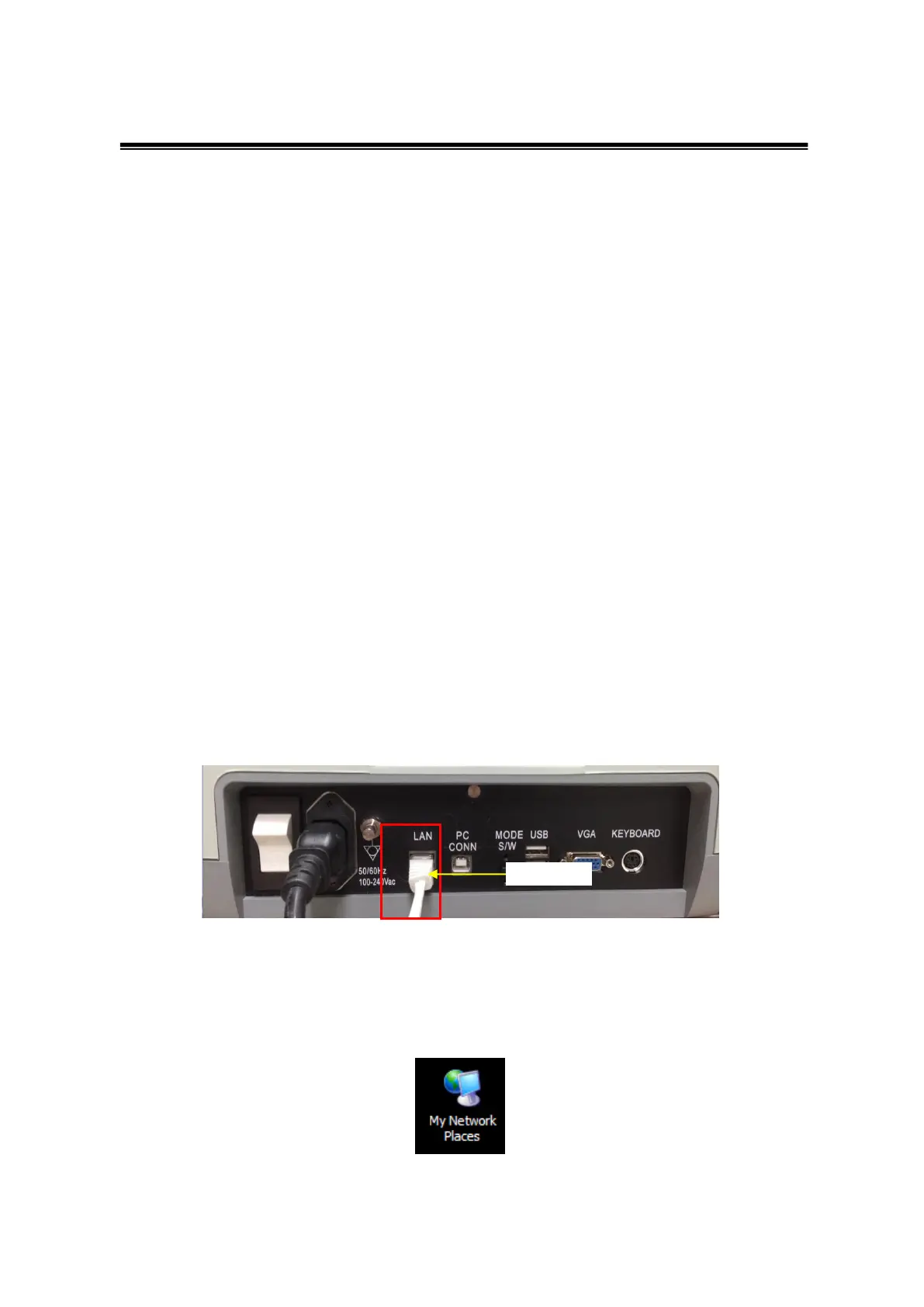
- Connect of Device
Connect the Ethernet cable to the LAN port on the back of the device.
- Network set up
You can see ‘My Network Places’ on the screen. Select this item and right click
your mouse and select “properties”.



 To Next Page