User’s Manual (Confidential)
OsteoSys Co., Ltd.
Model Designation : SONOST 3000 DOC. No. : OT06-2R7124
73
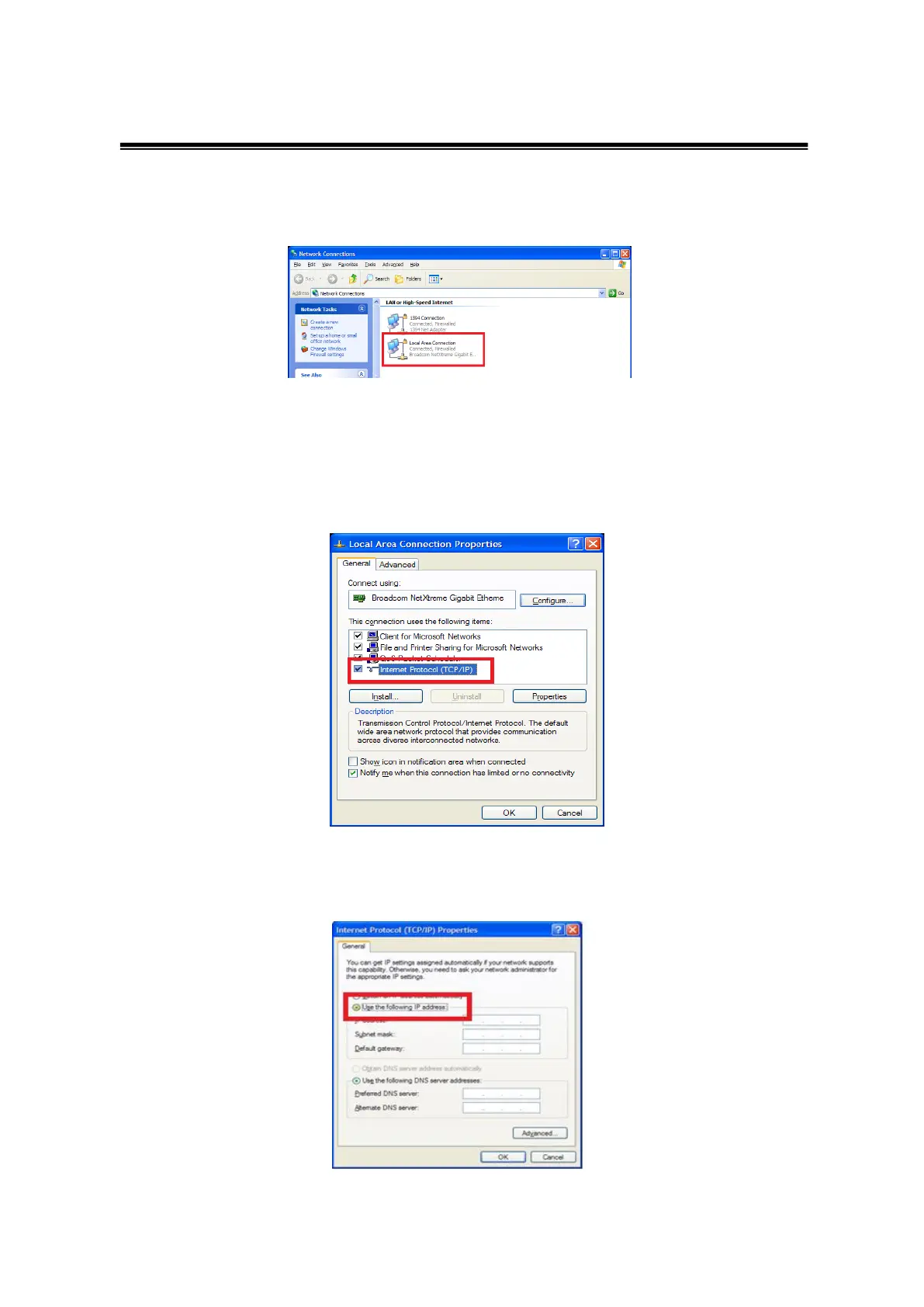
- Setup of the LAN Card
When you set up LAN card, you should turn on the device.
When you connect to PACS network in hospital, you should choose Local area. Next,
right click your mouse and select ‘properties’. From the Properties, you should choose
Internet Protocol(TCP/IP) and click the ‘properties’ underneath.
You should input IP address, serve net mask, gateway for connect PACS server.
After that, press the ‘confirm’ button.



 To Next Page