English-13
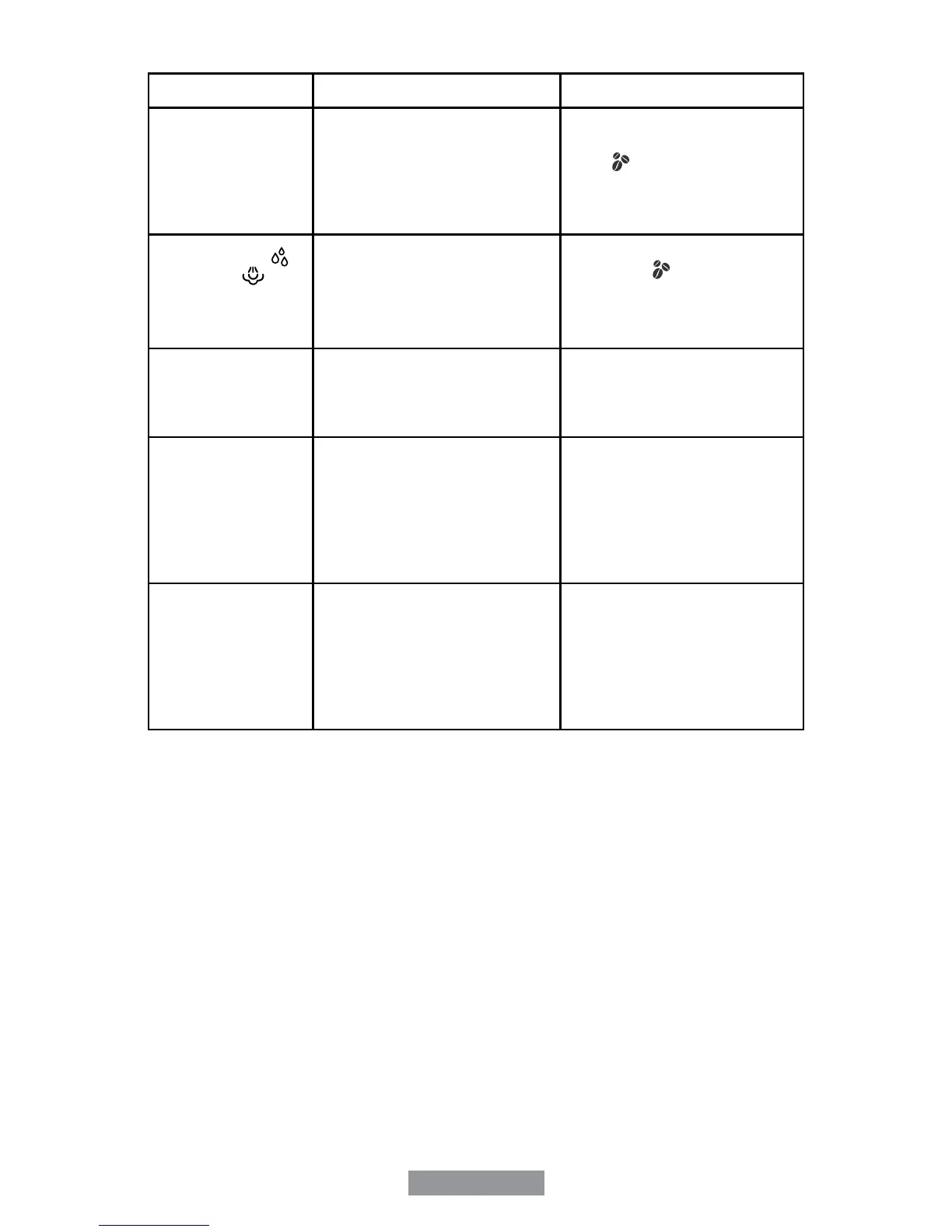
PROBLEM CAUSES SOLUTIONS
The indicator light
of “hot water” is
ashing.
• Unit has been dispensing hot
water more than 2 minutes.
• Wait 1 minute, turn the
control knob up to the brew/
off “
” position and then
turn the control knob down to
the hot water position. Now
you can dispense hot water.
The hot water “
”
and steam “ ”
indicators lights
are ashing at the
same time.
• Unit is not in hot water mode
or steam mode while the
control knob is in hot water or
steam position.
• Turn the control knob to
brew/off “
” position.
The four indicator
lights in the center
are ashing
alternatively.
• Water tank is out of water. • Add water to reservoir.
All of the six
indicators lights
in the control
panel are ashing
alternatively and
resume to normal
after 10 seconds.
• Water is not owing. If the
same condition occurred after
brewing several cycles, it
means the internal ow meter
is broken.
• Unit should be taken
to nearest Authorized
Oster
®
Service Center for
examination and repair.
All of the six
indicators lights in
the control panel
are ashing at the
same time.
• The room temperature is
too low or thermo block
temperature is too high
or temperature sensor is
malfunctioning.
• Power off the unit for a
while and then power it
back on. If this cannot solve
the problem, take the unit
to the nearest Authorized
Oster
®
Service Center for
examination and repair.



 To Next Page