English-5
IMPORTANT: The digital panel is sensitive to the touch and could be activated by
accident. If it is activated by mistake, the operation can be canceled by pressing the
selected icon again.
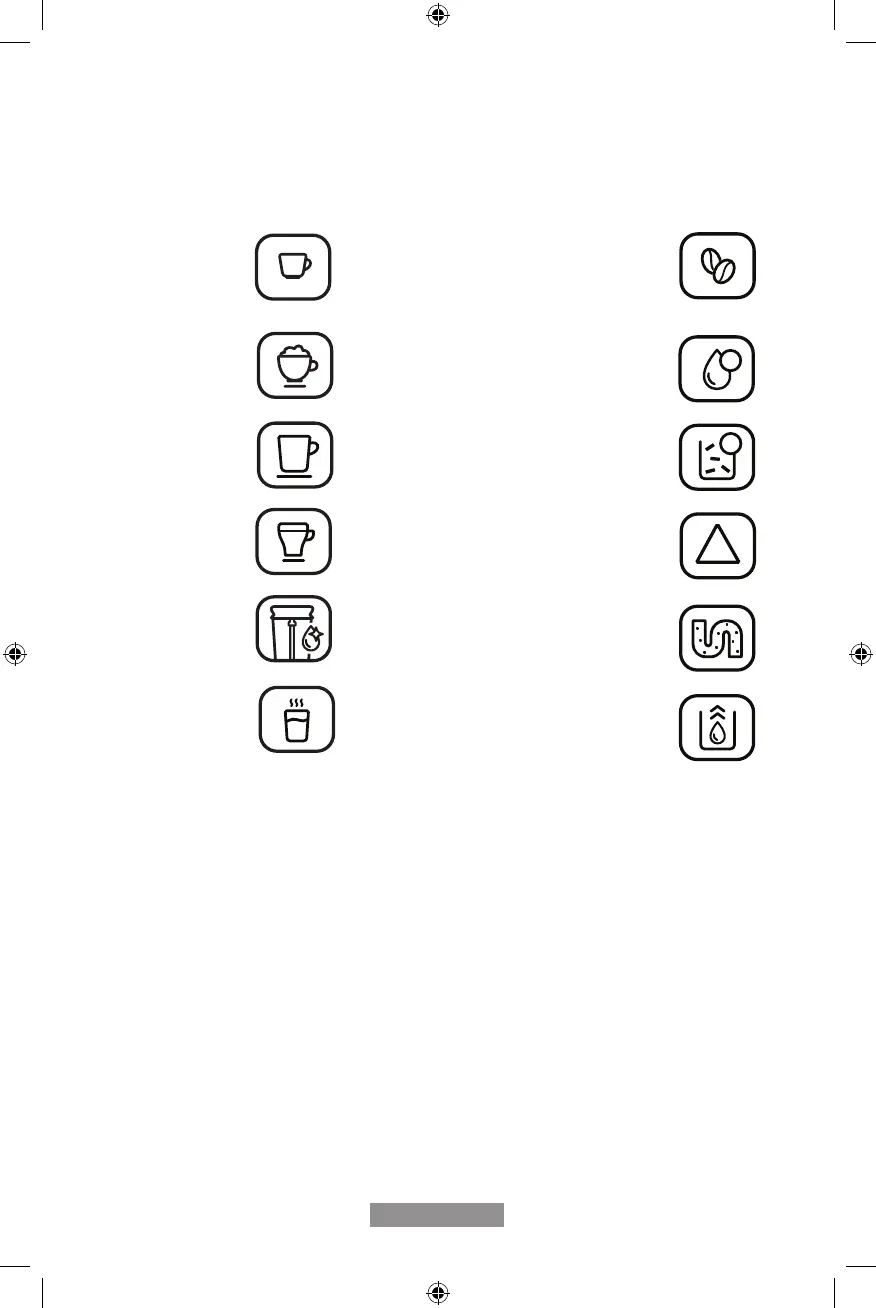
CONTROL PANEL
Espresso Lack of coffee beans
Cappuccino Flashing: Low water level/
Water Tank is missing
Lungo
Flashing: Internal drip tray is missing
Stable Lights: Internal drip tray is full
Latte Flashing: Service Door is opened/
improperly installed
Stable Lights: Brewer is missing/
improperly installed
Manual Clean Flashing: Descaling is under process
Stable Lights: Requires applying
descaling
Hot Water Empty system function is
running
On/ Off Button
!
!
!



 To Next Page