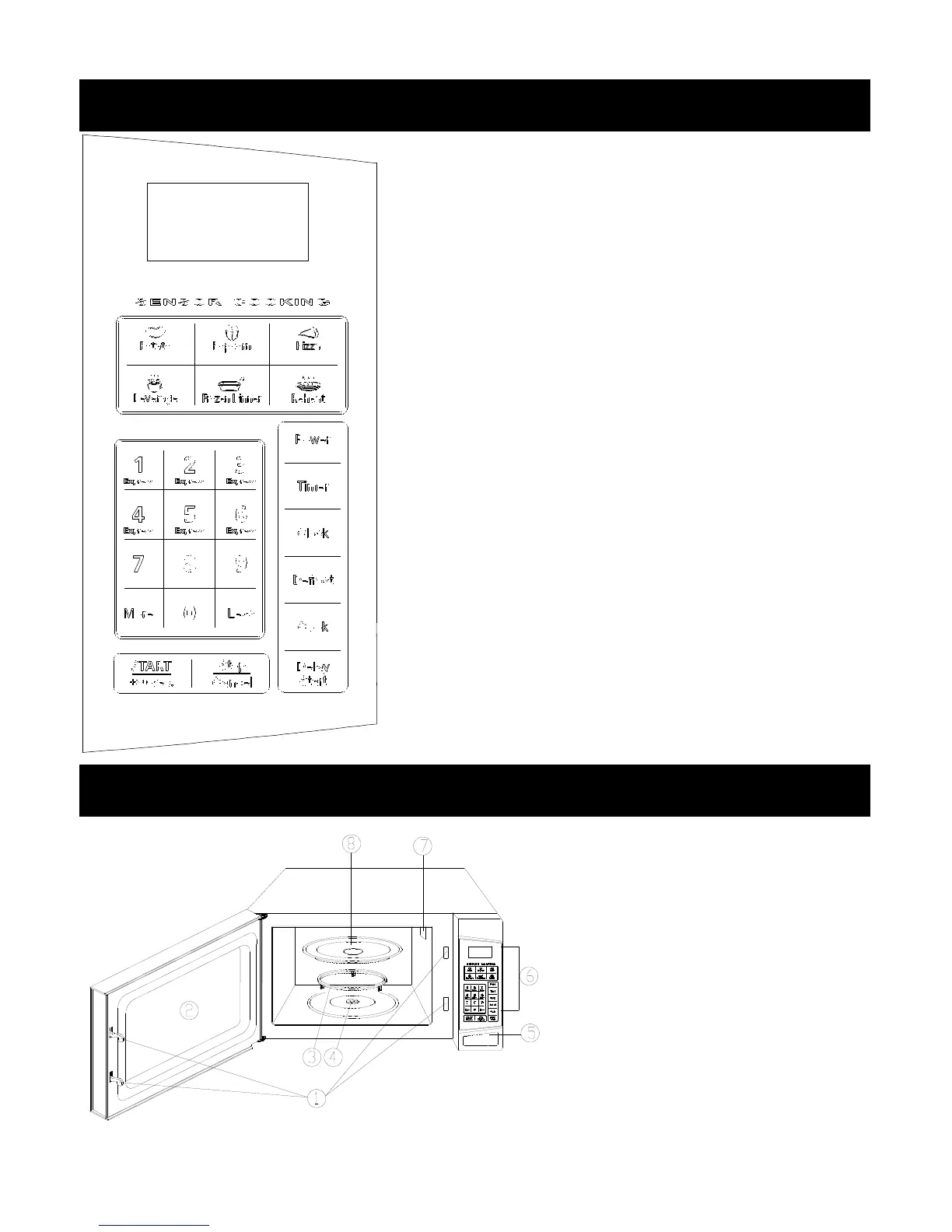
MENU ACTION SCREEN
Cooking time, power, indicators and present time are displayed.
QUICK COOK BUTTONS
Instant settings to cook popular foods.
NUMBER PADS (0-9)
Touch to set clock, cooking time or enter food weight.
MORE/LESS (+/-)
Used to add or reduce time from cooking.
POWER
Use to set microwave power levels.
TIMER
Timer functions independently, even while a cooking program is in
process.
CLOCK
Touch to set the clock time.
DEFROST
Easy settings to defrost according to weight entered.
COOK
Touch to set multi stage cook program.
START/+ 30 SEC.
Touch to start the oven; also use to add cooking time during cooking
process.
STOP/CANCEL
Touch to stop the oven or reset the oven before setting a program.
DELAY START
Use to set the oven to start at a preset time.
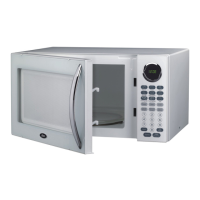
1. Door Safety Lock System
2. Oven Window
3. Roller Ring
4. Shaft
5. Door Release Button
6. Control Panel
7. Wave Guide
8. Glass Tray


 To Next Page