English-5
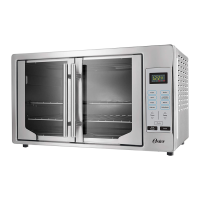
a c
f
b
d
e
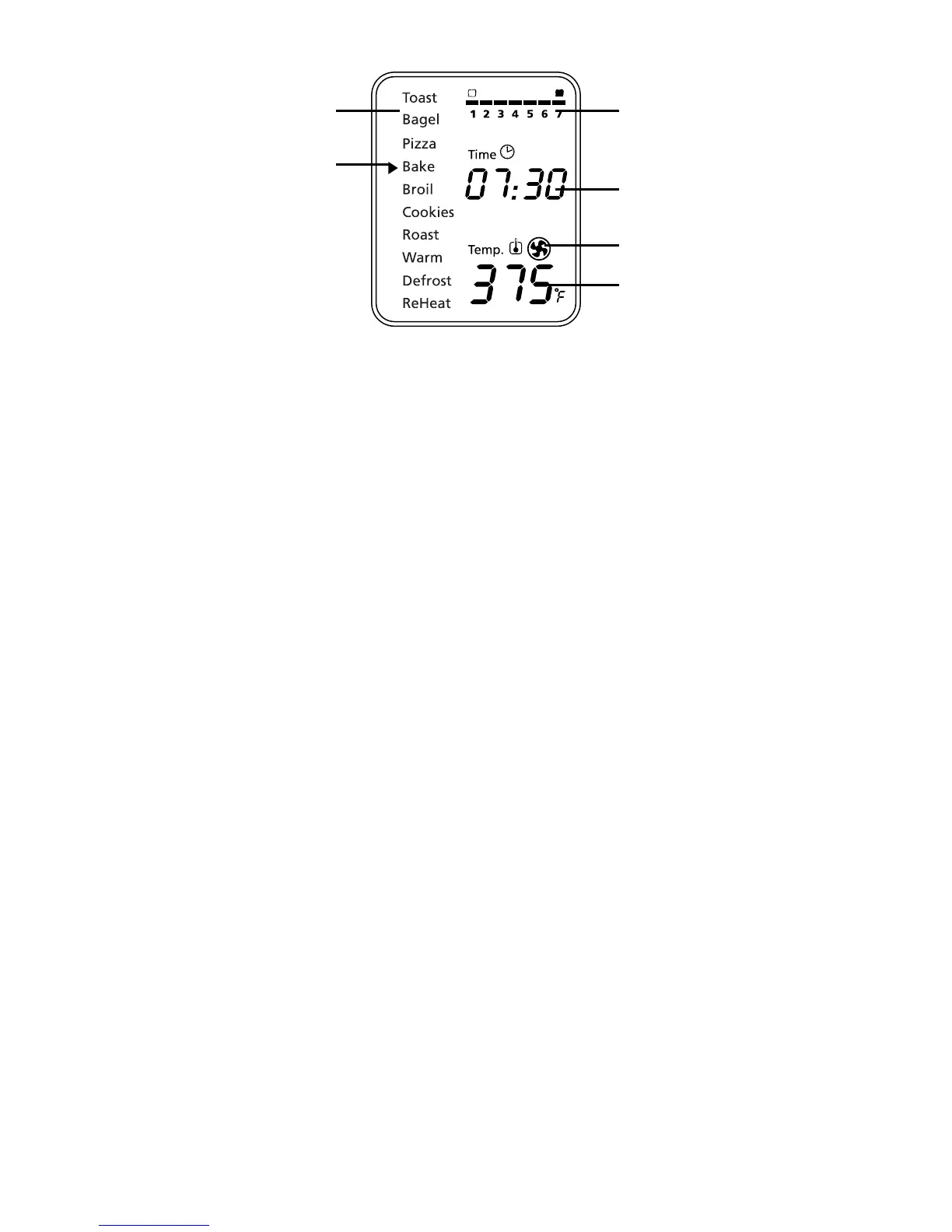
LCD Display
a. Functions Indicator –Toast,Bagel,Pizza,Bake,Broil,
Cookies,Roast,Warm,Defrost,Reheat
b. Function Indicator Arrow
c. 1-7 color shade setting indicator
d. Time Indicator
e. Turbo Convection Heat Icon
f. Temperature Indicator
Preparing Your Toaster Oven
Ifyouareusingyourtoasterovenforthefirsttime,please:
•Removeanystickersfromthesurfaceoftheoven.
•Openovendoorandremoveallprinteddocumentsandpaperfrom
inside the toaster oven.
•Cleantherackandpanwithhotwater,asmallamountofdishwashing
liquid and a nonabrasive sponge or cleaning pad.
DONOTIMMERSETHECORD,PLUGORBODYOFTHEUNIT
INWATER.
•Drytheunitthoroughlybeforeusing.
•Selectalocationforthetoasteroven.Thelocationshouldbeinanopen
area on a flat counter where the plug will reach an outlet.
•Plugthetoasterovenintoanelectricaloutlet.



 To Next Page