6
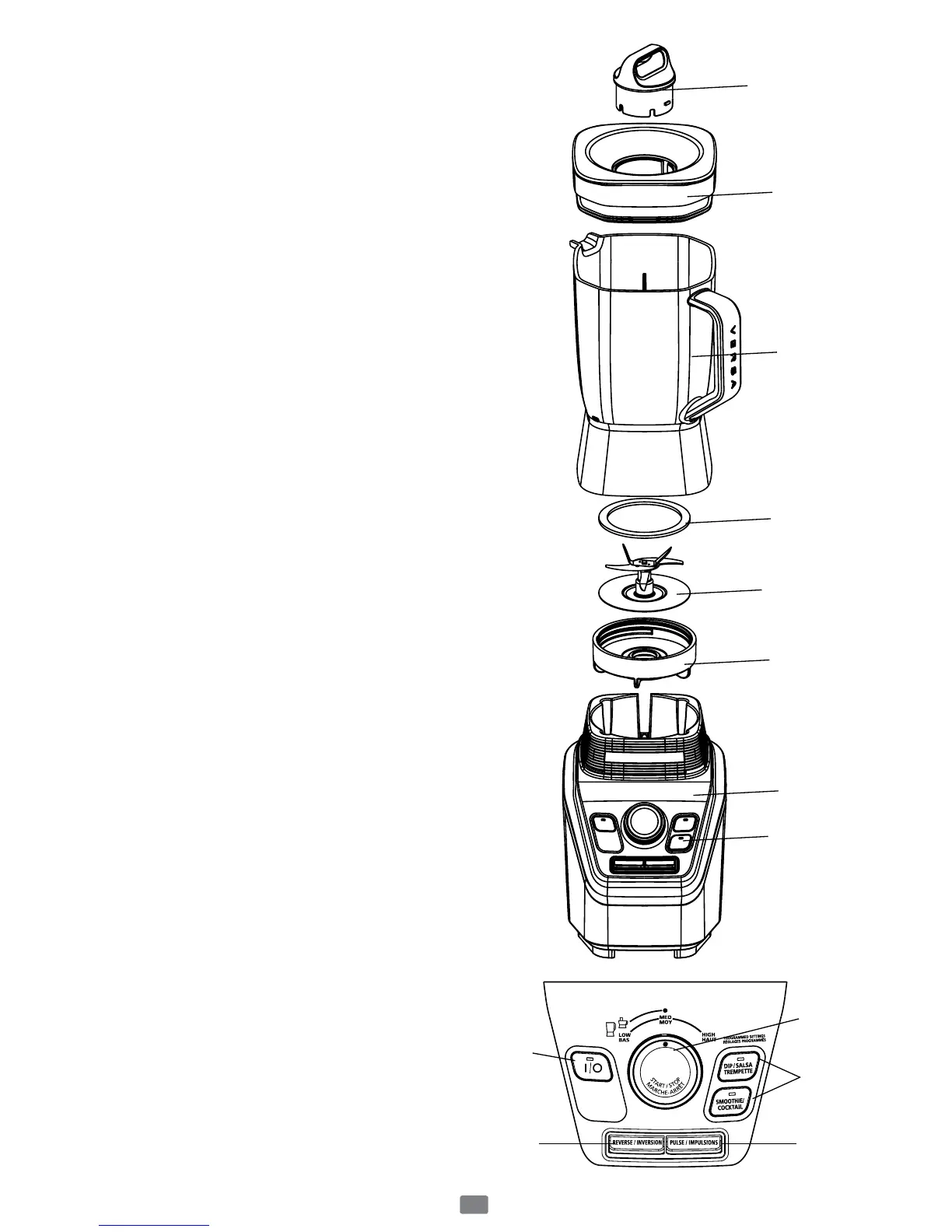
Learning About Your Product
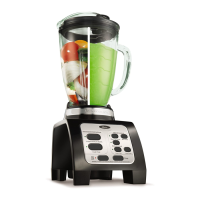
1. Filler Cap – Allows you to add ingredients
during use. Also, allows you to open to allow
steam to escape when blending hot foods. In
addition, it can be used as a tool to remove or
tighten the threaded jar bottom.
2. Jar lid – Seals the blender jar.
3. Jar – 8-Cup Break Resistant BPA-Free
Tritan
TM
Plastic.
4. Sealing Ring – Seals the jar to the blade for
leak-proof operation.
5. Blade – Creates a forward and reverse action
when the Programmed settings are in use or
when the Reverse button is pressed.
6. Threaded Jar Bottom
7. Sturdy Stylish Base – Holds the jar securely.
Contains a powerful, reversible, variable
speed motor. It uses Programmed logic that
takes the guesswork out of creating foods
and drinks.
8. Control Panel
a. Power Button (On/Off (I/O) button) –
Turns the product On and Off.
b. Speed Control Knob Settings – Turn knob
to “Low”, “Medium” or High” speed
setting. Press knob to start or stop.
c. Programmed Settings – Use to select
“Smoothie/Cocktail” Button or “Dip/
Salsa/Trempette” Button. Blender
automatically shuts off when cycle is
finished.
d. Pulse button – Press and release to Pulse,
release the button to stop.
e. Reverse Button – Press and hold to reverse
blade action while the blender is operating
as needed. It may also be used when the
blender is not operating.
1
2
3
4
5
6
7
8
b
c
a
d
e



 To Next Page