9
Use pulse button to crush ice or chop food.
Using the Reverse Button (Use with Blender Jar Only)
1. Verify that the red light is blinking. This indicates that the blender is turned on.
2. Turn knob to “Low”, “Med”, or “High”.
3. Press and hold the Reverse Button.
4. Release to stop.
5. Press the ON/OFF (I/O) power button to turn the product off.
Use Reverse Button to draw food towards the blade as needed. This button can
also be used during normal Low, Medium, or High blending.
Caring for Your Product
After Use
1. Press the OFF (I/O) button and unplug blender. Lift the jar straight up from
the base, remove the lid and empty the jar.
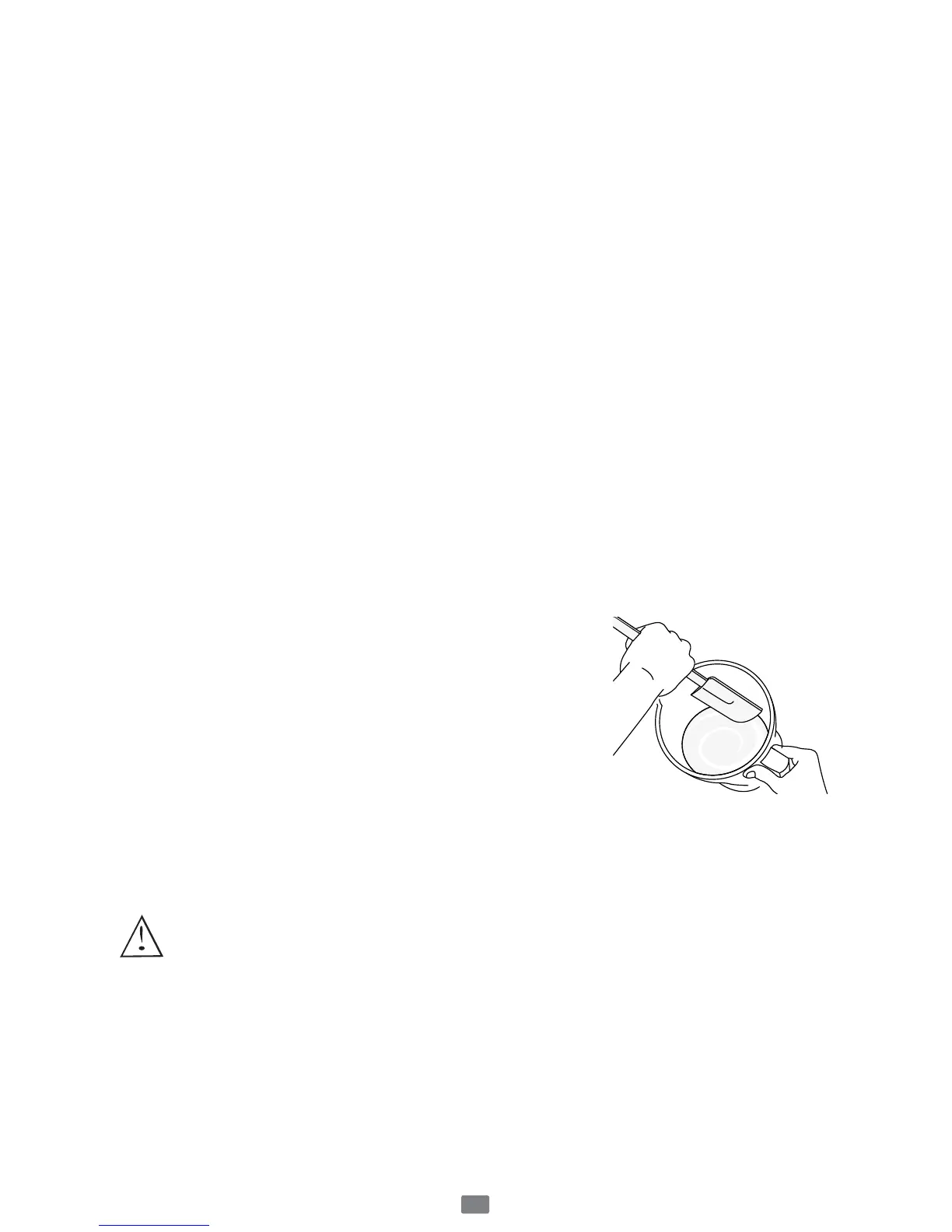
2. If necessary, use a rubber spatula to scrape foods away from the sides of the
jar.
Cleaning
The Blade is SHARP! CAREFULLY release the blade from the bottom of the jar
by turning the threaded jar bottom counterclockwise. The jar lid, filler cap and
blade are dishwasher safe. Use the top rack of the dishwasher for the jar lid, filler
cap, and blade. Place sealing ring into bottom basket of dishwasher.
You can also wash the parts in warm, soapy water.
Rinse well and dry. Wipe the base with a soft, damp
cloth to clean. Never submerge the blender base in a
liquid.
Check the parts as you put them back together.
TIP: Run blender with soapy water for 20-30 seconds
for cleaning without disassembly. Follow with clean
water rinse.
Storing
Reassemble the blender for storage. Leave the lid open a gap so no odors are
retained.
WARNING: Never put the jar, or any other parts, in a microwave
oven. Never store foods or drinks in the jar.
Servicing
If repairs are needed, send your appliance only to an authorized OSTER
®
Appliance Service Center. Replacement parts are available on www.oster.ca or
call 1-800-667-8623.



 To Next Page