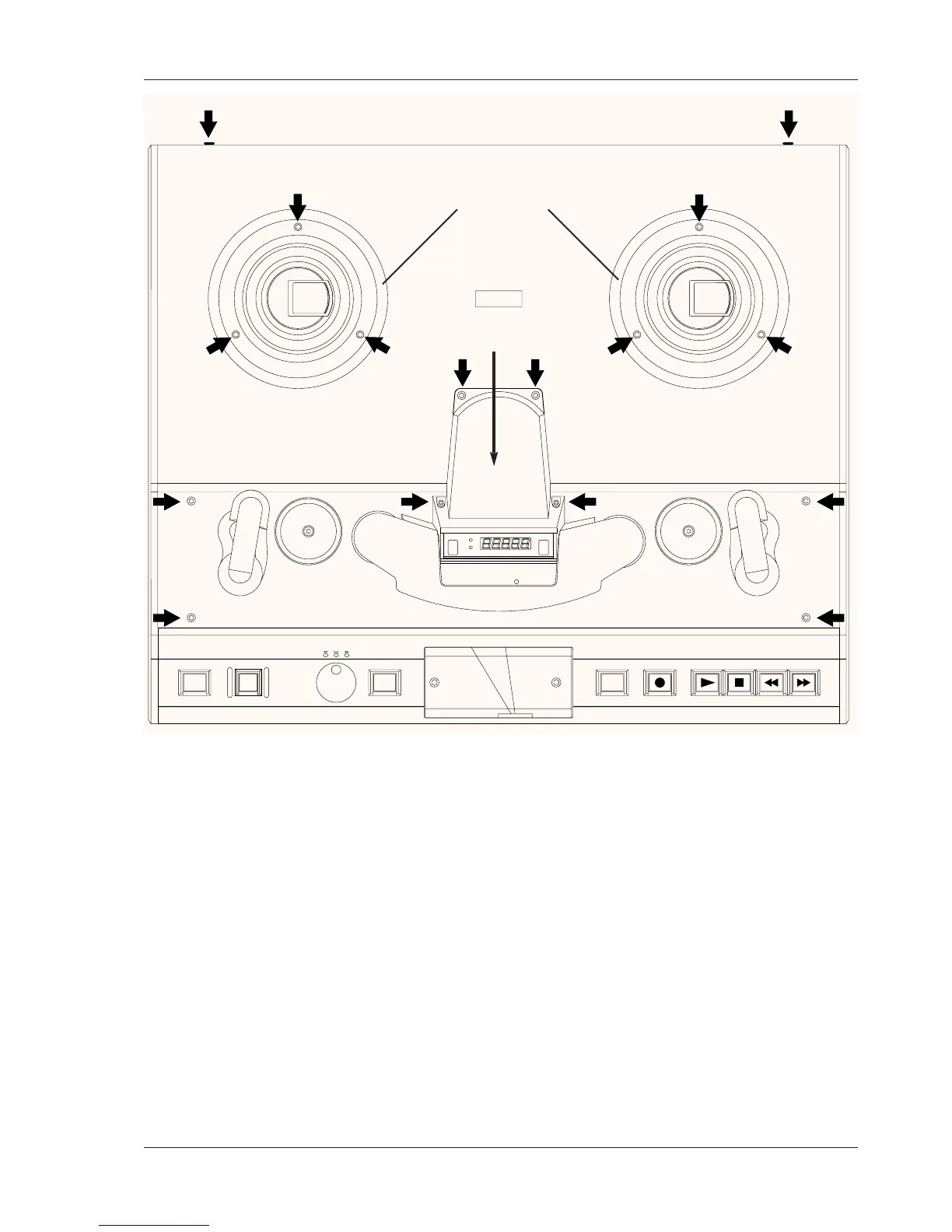
Figure 6-1
Transport Deck Plate Removal
6.1.1.2 Removing the Transport Deck Plate
Refer to Figure 6-1 for the following instructions. The screws to be removed
are indicated with black arrows.
1. Turn off the MTR-90III POWER switch.
2. Remove the Head Assembly Cover by loosening the four cap head allen
screws that secure the Head Assembly Top Cover.
3. Remove the Tape Plate by loosening and removing the 4 screws
securing it.
4. Remove both Reel Guard Rings (not the turntables) by removing the
three allen head cap screws in each guard ring and lifting the rings
straight up.
5. Remove the two oval head phillips screws, dress washers, and nylon flat
washers from the rear flange of the Transport Deck Plate, lift the plate
straight up and set it aside. Be careful not to scratch the tension arm
rollers while removing this plate.








 To Next Page