EasyManua.ls Logo

oticon Geno 2 - User Manual

oticon Geno 2
33 pages
Print Icon
To Next Page IconTo Next Page
Loading...
Instructions for use
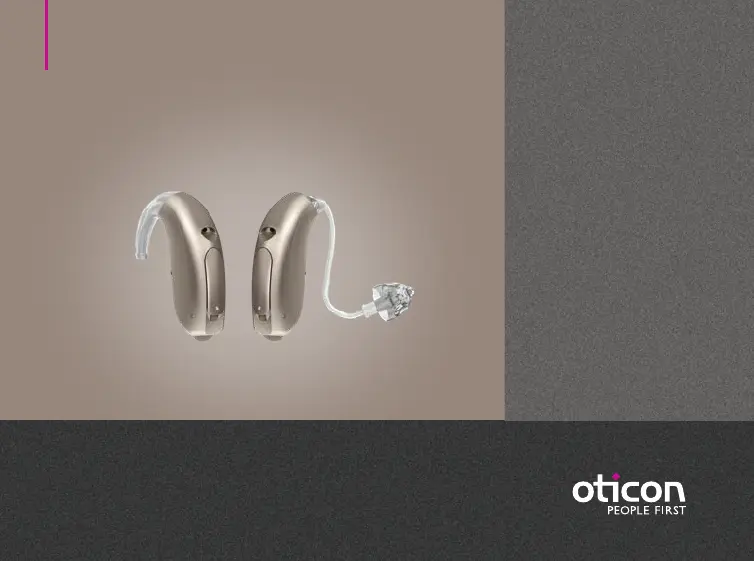
miniBTE
Oticon Geno

Questions and Answers

  • C
    Charles ScottAug 9, 2025
    How to fix oticon Geno 2 when there is no sound?
    • E
      efigueroaAug 9, 2025
      If your Oticon Hearing Aid has no sound, the cause might be a dead battery. In this case, replace the battery. Another possible cause is a clogged tube or earpiece (mould, dome, Grip Tip, Micro mould, or LiteTip). Try cleaning the mould or cleaning the Corda miniFit (thin tube), replacing the dome or Grip Tip, or replacing the wax filter.
  • R
    Raymond SmithAug 19, 2025
    Why my oticon Geno 2 is making a squealing noise?
    • J
      Justin HensleyAug 19, 2025
      If your Oticon Hearing Aid is making a squealing noise, it could be because the earpiece is inserted incorrectly. Try re-inserting the earpiece (mould, dome, Grip Tip, Micro mould or LiteTip). Another possible cause is ear wax accumulated in the ear canal. In this case, have your ear canal examined by your doctor.
  • D
    Debbie BrandtAug 28, 2025
    What to do if oticon Hearing Aid has intermittent or reduced sound?
    • D
      Daniel MyersAug 28, 2025
      If you are experiencing intermittent or reduced sound in your Oticon Hearing Aid, it could be due to several reasons. A clogged sound outlet might be the cause, so try cleaning the mould or cleaning the Corda miniFit (thin tube), replacing the dome or Grip Tip, or replacing the wax filter. Moisture can also cause this issue; wipe the battery with a dry cloth and/or dry the tube. Also, check the battery, as a dead battery can cause sound issues, and replace it if needed. If the damping filter in the sound hook is clogged, contact your hearing care professional for assistance.

Summary

About Hearing Aids

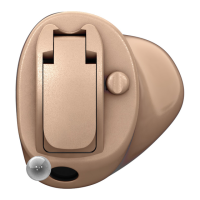
Identifying Hearing Aid Styles and Earpieces

Describes the two primary types of hearing aid attachments and earpieces.

Battery and Identification Information

Details battery type and how to distinguish left/right hearing aids.

Sound Hook;Mould vs. Thin Tube Systems

Explains components and functions of sound hook/mould and thin tube systems.

Getting Started

Powering On;Off and Battery Replacement

Instructions for powering the aid on/off and replacing the battery.

Battery Replacement Guide

Step-by-step guide for safely replacing the hearing aid battery.

Handling and Care

General Hearing Aid Care and Cleaning

Advice on handling, cleaning microphone openings, and using the brush.

Mould and Earpiece Management

Guide to wearing, cleaning, washing moulds, and replacing earpieces.

Thin Tube and Wax Filter Maintenance

Guide to wearing thin tubes, cleaning them, and replacing wax filters.

Options and Features

Muting, Program, and Volume Controls

How to mute, change programs, and adjust volume on the hearing aid.

Battery Drawer and Wireless Accessories

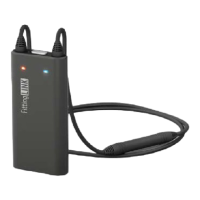
Operating the secure battery drawer and overview of wireless accessories.

Autophone Functionality

Explains the autophone feature for automatic phone program activation.

Important Warnings

Safe Usage, Hazards, and Battery Safety

Guidelines on proper usage, choking hazards, and battery safety.

Device Protection, Interference, and Implants

Precautions against heat, chemicals, interference, and active implants.

External Equipment and Side Effects

Safety regarding external equipment and potential side effects.

More Information and Troubleshooting

Troubleshooting Common Issues

Guide to resolving common hearing aid problems like no sound or squealing.

Water Resistance and Conditions of Use

Details water resistance capabilities and operating/storage conditions.

Warranty, Service, and Technical Data

Information on warranty, service, technical specs, and symbols.

oticon Geno 2 Specifications

General IconGeneral
CategoryHearing Aid
ManufacturerOticon
ModelGeno 2
Battery Size312, 13
StylesBTE

Related product manuals