
 Need help?
Do you have a question about the oticon FittingLINK WP-2 and is the answer not in the manual?
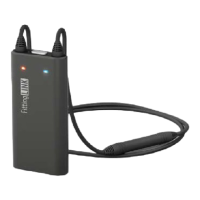
Defines the product's purpose as an accessory for programming wireless hearing instruments.
Instructions on how to power the device on and off using the ON/OFF button and LED indicators.
Steps for charging FittingLINK using the provided charger and cradle.
Steps for charging FittingLINK using the cradle and a USB cable connected to a PC.
Instructions for charging FittingLINK directly via the USB cable without the cradle.
Details on how FittingLINK indicates low battery levels via LED lights.
Guide on establishing a wireless connection to a PC using the Bluetooth adapter.
Procedure to re-pair FittingLINK with the Bluetooth adapter if connection fails.
Instructions for connecting FittingLINK to a PC using the USB cable.
General guidance on using FittingLINK for programming hearing instruments.
Specific instructions for using FittingLINK with children, including adjustments for neck loop.
Method for performing coupler-based verification using FittingLINK with hearing instrument analysers.
Explanation of the LED indicators on the Bluetooth adapter and their meanings.
Explanation of the top LED indicator on FittingLINK for battery status.
Explanation of the front LED indicators on FittingLINK for programming status.
Safety notes for external connections, and hazards from heat, chemicals, and choking.
Information on interference, active implants, and safe use of the neck loop.
Safety guidelines and warnings related to the rechargeable battery.
Specifications and technical details for the FittingLINK device.
Specifications and technical details for the Bluetooth adapter.
Details of the limited international warranty provided for the FittingLINK device.
Instructions on how to obtain support and service for FittingLINK.
Explanations of symbols used within the instruction booklet.
Explanations of symbols found on the product labels.
 General
| Compatibility | Oticon hearing aids |
|---|---|
| Connection | Wireless |
| Waterproof | No |
| Purpose | Hearing aid programming |
| Usage | Professional use |

 To Next Page








