The remote control is a personal device intended to be used with
one set of hearing aids. Please see below steps for pairing and using
the Remote Control 3.0.
Step 1: Before the remote control can be used, it needs to be paired
with the hearing aid(s)
Check that the remote control has working batteries by pressing
any button.
(The status light at the top should light up if the batteries are good.)
Step 2:
Begin by opening the battery drawer for non-rechargeable hearing aids.
For rechargeable hearing aids, either use the push-button or place them in
and out of the charger.
Step 3:
Place both of the hearing aids within range of the remote control.
(within 20 cm, approximately 7 inches)
Step 4:
Press and release any button. You will see a brief green light.
Step 5:
When the status light on the remote control lights up steady green for
10 seconds the devices have been paired successfully.
Operating Range
You can operate your hearing aids with the remote control from a
distance of up to 1.8 meters. (approximately 6 feet)
Step 6:
Your patient can change hearing aid programs and volume with the
Remote Control.
Mute
Use the mute function to silence the hearing aids while wearing them.
Press and hold the volume down button for approximately 2 seconds until
the status light turns off, to mute the hearing aids.
Unmute
Briefly press any button on the remote control to unmute the
hearing aids.
Clear Pairings: Press and hold all three buttons together at one time for 5 seconds.
The light indicator will blink on, off, on. When it remains off, release the buttons.
The Remote Control light indicator will turn back on. When it turns off, the remote
has been cleared of pairings.
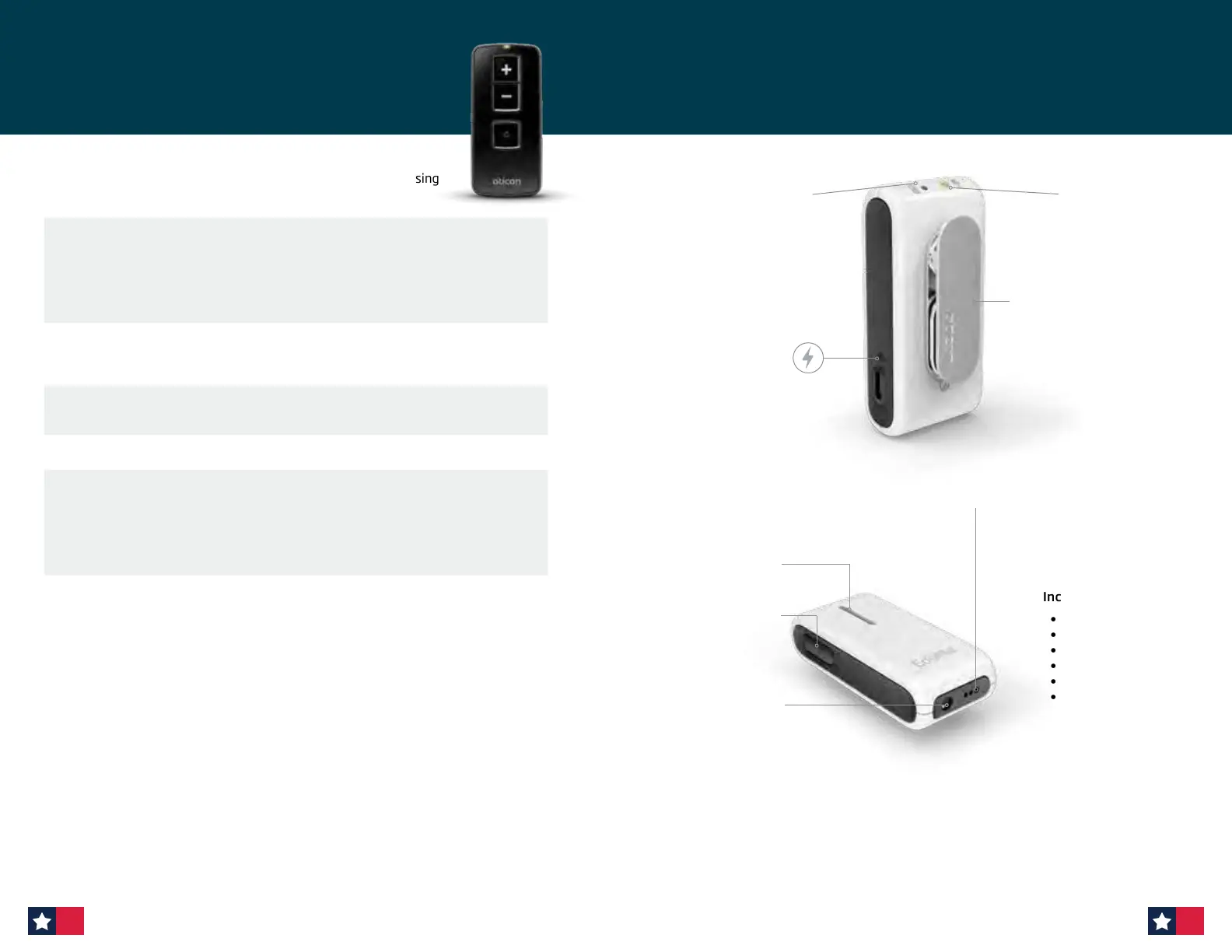
Remote Control 3.0
Included with EduMic:
• Instructions for Use
• Adjustable lanyard
• Wall charger
• USB charger cable
• 3.5 mm jack cable
• FM protective skin
Button
ON, OFF, mute,
telecoil and clear
pairings
Rotating clip
Attaches to the lanyard
or clothes
Microphone
Micro USB
charging
LED
Status indicator
LED
Power
indicator
3.5 mm
jack input
FM Connector
for Universal Receiver
EduMic overview
64 65












 To Next Page